PAGE 30 of 54
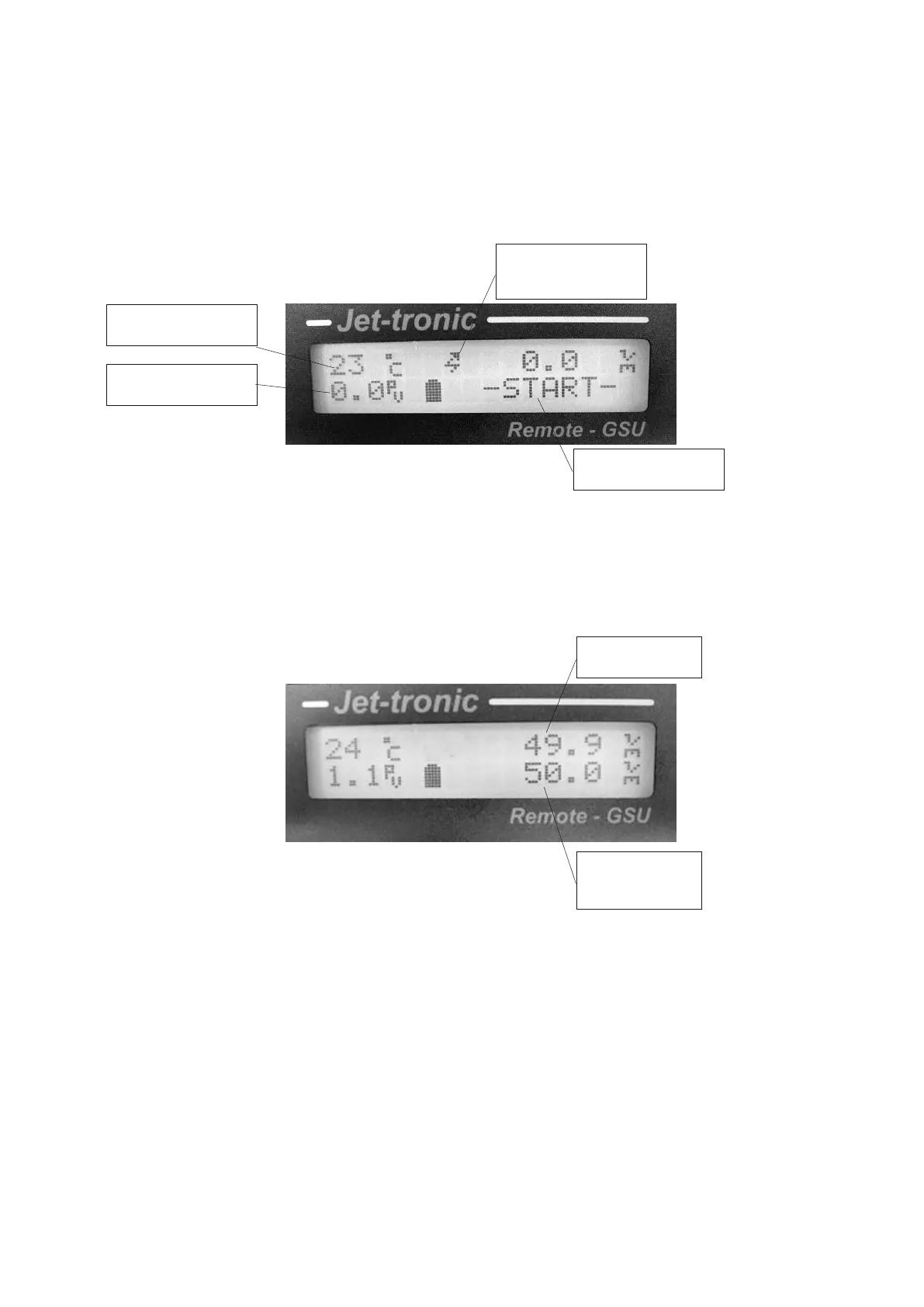
Turbine starting display screen
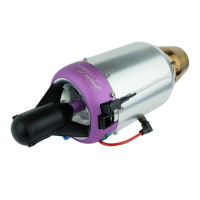
Turbine running display screen
Turbine Running States
The JetCat turbine progresses through several operating states, from ignition to the cool down process.
The transitions of these states are automatically controlled by the ECU and by user commands. The
current value is always displayed on the GSU screen in the STATE selection in the RUN menu. When the
turbine is starting, the GSU will also display the current state on the bottom line of the display. Whenever
the engine is in cooling mode or the starter is tested with the Ignition key, the top line of the GSU display
will flash “! – Cooling - !”.
Exhaust temperature
in C.
GSU – explained in
Current state, only
during startup
commanded



 To Next Page