15
- Privacy Separator: If ON is selected, your devices on the same Wi-Fi Name can't
make Local Area Network communication.
- Wi-Fi Band: It supports both the 2.4- and 5GHz bands of wi-fi spectrum for top
throughput. You can choose Wi-Fi Band depending on your preference.
NOTE: if you connect WLAN printer to your RG1100, Privacy Separator should be OFF to
send file from your PC to the printer
- SSID Stealth: If ON is selected, the Wi-Fi name will not be broadcasted. You need to
manually enter the Wi-Fi name and connect.
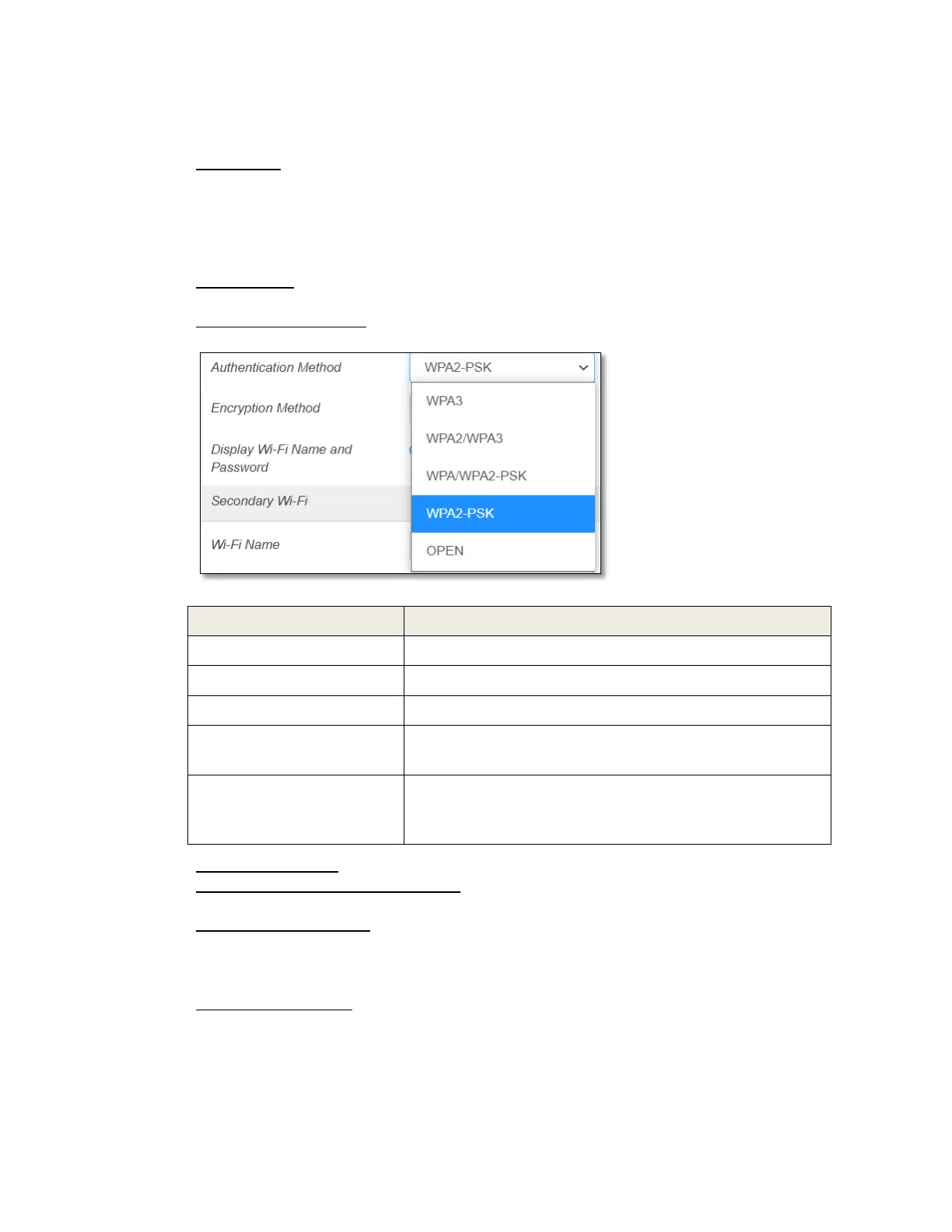
- Authentication Method: The authentication methods are described below.
WPA3 is the latest, updated implementation of WPA2
Apply both the WPA2 and WPA3 scheme.
Apply both the WPA-PSK and WPA2-PSK scheme.
WPA-PSK is the securer version of WPA with
implementation of the 802.11i standard.
Authentication and encryption won't be performed.
There are risks that private info will be intercepted or
network will be used by unauthorized individuals.
- Encryption Method: Select an encryption method from the drop-down list.
- Display Wi-Fi Name and Password: If ON is selected, the Wi-Fi Name and Password
will be displayed on your RG1100 device display.
- Maximum Connections: Choose the maximum number of the devices which connect
to your device simultaneously. You can also click the right or left arrow to distribute
the maximum number of the connected devices between the Main Wi-Fi and the
Guest Wi-Fi.
- Wi-Fi Settings Reset: Click the Reset button to reset all Wi-Fi settings to the default.



 To Next Page