18
Mobile Network
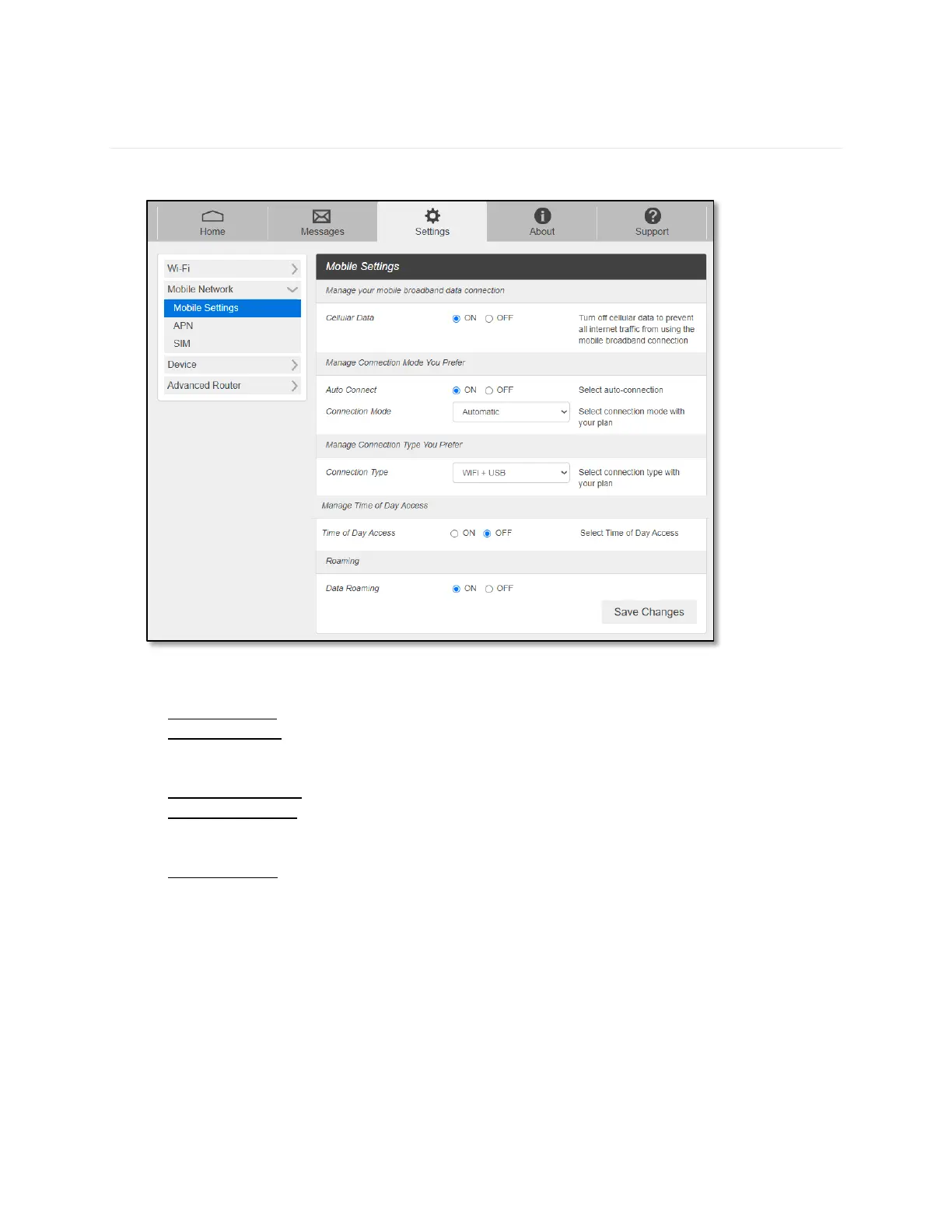
Mobile Network menu help you to manage your mobile network settings.
- Mobile Settings
- Cellular Data: Selecting OFF disconnect all data traffic to the network.
- Auto Connect: Select ON or OFF to make your device automatically connects to the
network when it is powered on. If OFF is selected, you need to login the Web Admin to
connect to the network next time the device is powered on.
- Connection Mode: Select network type to connect to.
- Connection Type: Select connection type between your host devices and RG1100. Wi-Fi
+ USB Connect / Wi-Fi Only / USB Only
- Time of Day Access: You can set the time span per day to allow data connection.
- Data Roaming: Turn Data Roaming on or off.
-
CAUTION! Allowing roaming could result in additional service charges.



 To Next Page