4
5. Vent Holes – Ventilation holes to cool down the device.
6. Battery Cover – Battery is inside the battery cover.
7. Battery cover notch – Lift the notch to open the battery cover.
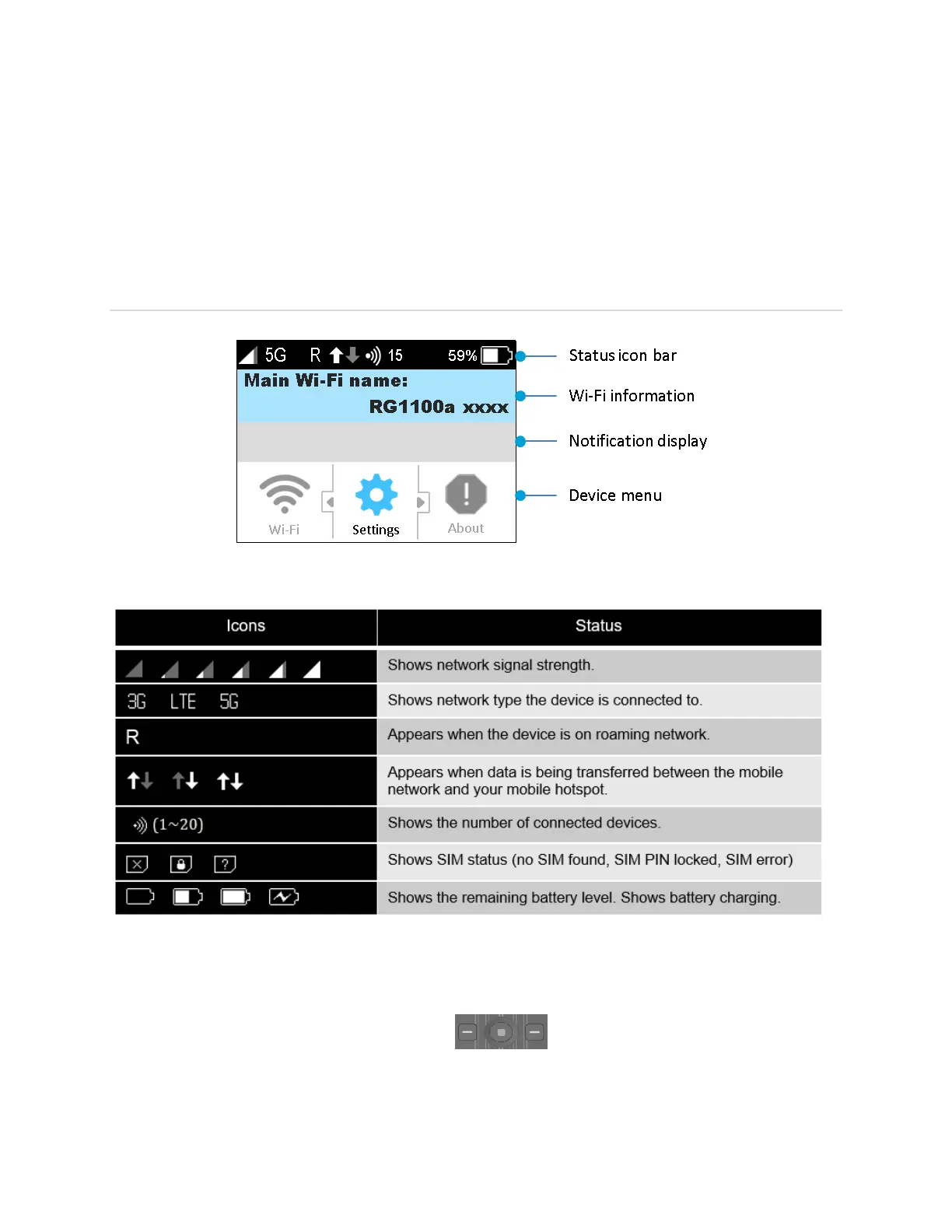
Device Display
Status icon bar
Wi-Fi Information: Displays Main Wi-Fi network SSID and password information.
Notification display: Displays notification messages as available.
Device Menu: Use the navigation buttons
to select the device menu and go
through the sub menus.



 To Next Page