!
!
14!
!
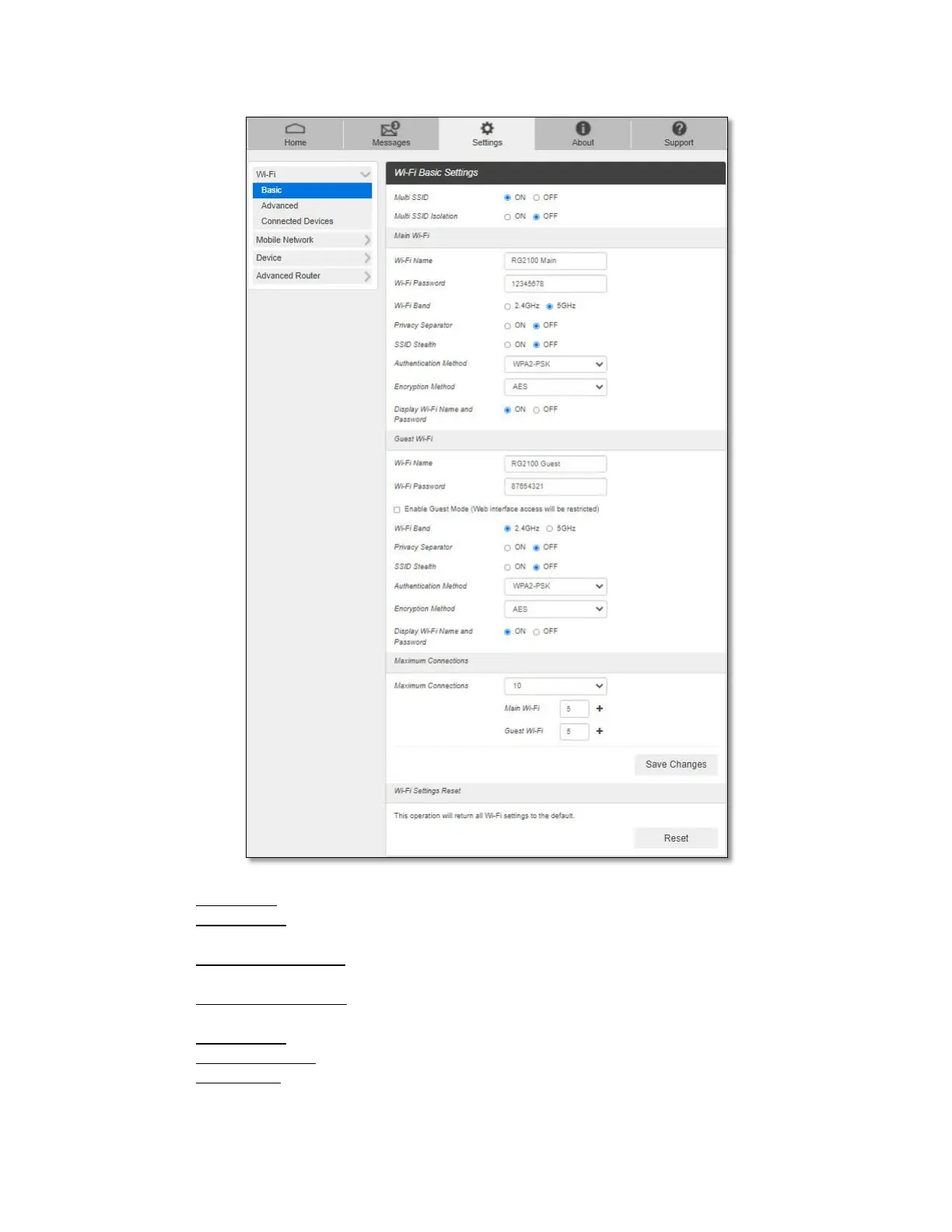
- Multi SSID: Select ON if you like to set up a separate guest Wi-Fi network.
- Guest Wi-Fi: If Multi SSID is ON, Guest Wi-Fi menu appears. You can change Guest
Wi-Fi settings.
- Multi SSID Isolation: If ON is selected, it prevents your devices from communicating
across the Main and Guest Wi-Fi networks.
- Enable Guest Mode: If the box is checked, users on the Guest Wi-Fi is not allowed to
access the Web Admin home page, http://mobile.hotspot.
- Wi-Fi Name: Wi-Fi Service Set Identifier (SSID).
- Wi-Fi Password: The password needs to be at least 8 characters long.
- Wi-Fi Band: Select 2.4GHz or 5GHz band of Wi-Fi spectrum.



 To Next Page