!
!
3!
!
Components
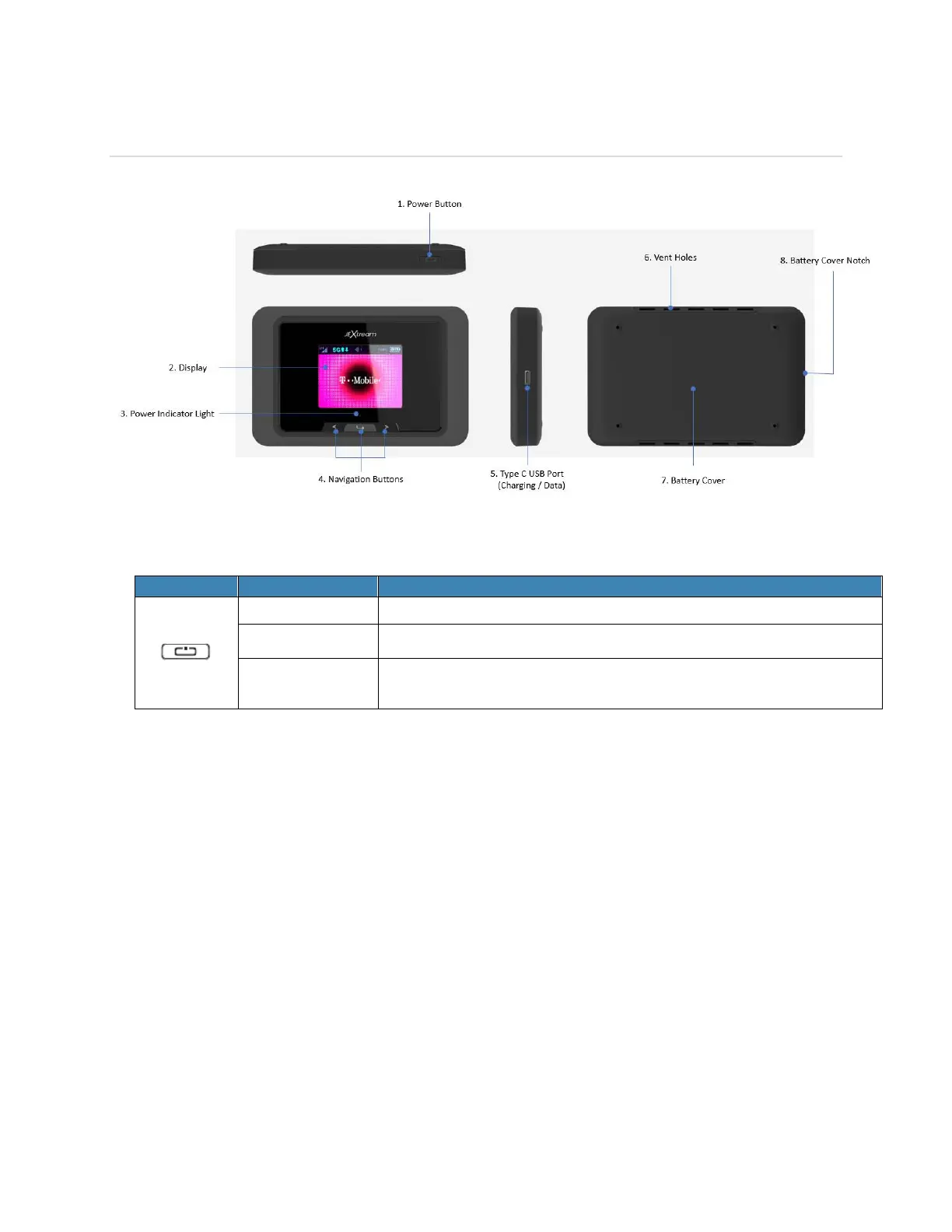
1. Power Button – Turn on/off the device.
Button Operation
Press and hold the button until “Welcome” message appears.
Press and hold the button until Power-Off animation appears.
When the display is off, the first quick press of the button wakes
up the display.
2. Display – Provides general information of the device status and device setting menu.
3. Power Indicator Light – White light blinks while the device is powered on.
4. Navigation Buttons – Left, Right arrows and Enter button to navigate the device menu.
!
5. Type C USB Port – The USB cable connects here to charge and data transfer.
6. Vent Holes – Ventilation holes to cool down the device.
!
7. Battery Cover – Battery is inside the battery cover.
!
8. Battery Cover Notch – Lift the notch to open the battery cover.
!



 To Next Page