!
!
4!
!
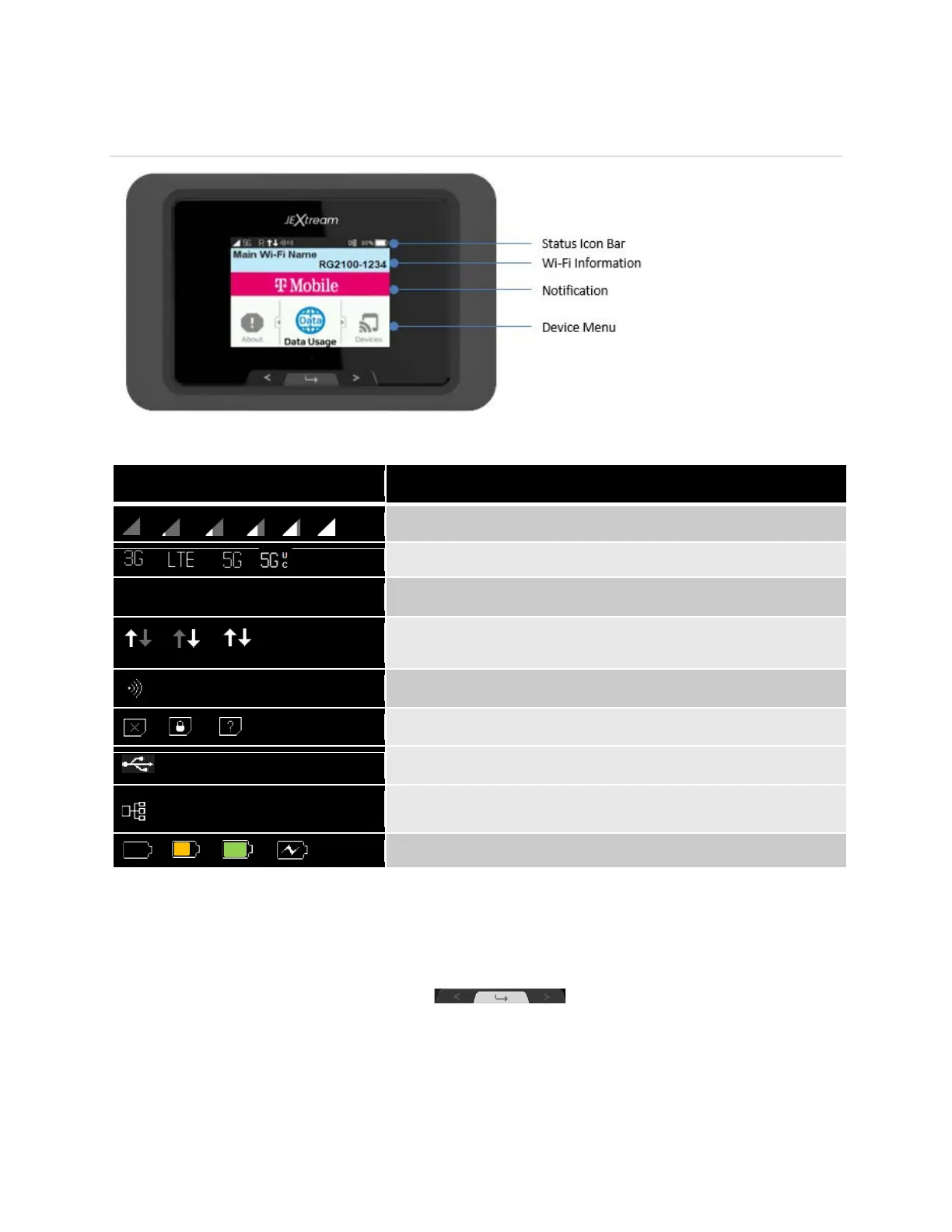
Device Display
Status Icon Bar
Shows network signal strength.
Shows network type the device is connected to.
Appears when the device is roaming on another network.
Appears when the device is actively sending/receiving data
to/from the network.
Shows the number of connected devices on the Wi-Fi network.
Shows SIM status (no SIM found, SIM PIN locked, SIM error)
Appears when the USB port is tethering data.
Appears when the USB port is connected to an Ethernet
adapter.
Shows the battery status.
Wi-Fi Information: Displays Main and Guest Wi-Fi Network SSIDs and Passwords.
Notification Display: Displays notification and alert messages as available.
Device Menu: Use the navigation buttons to navigate through the device
menu icons to see device information or to change device settings.



 To Next Page