!
!
16!
!
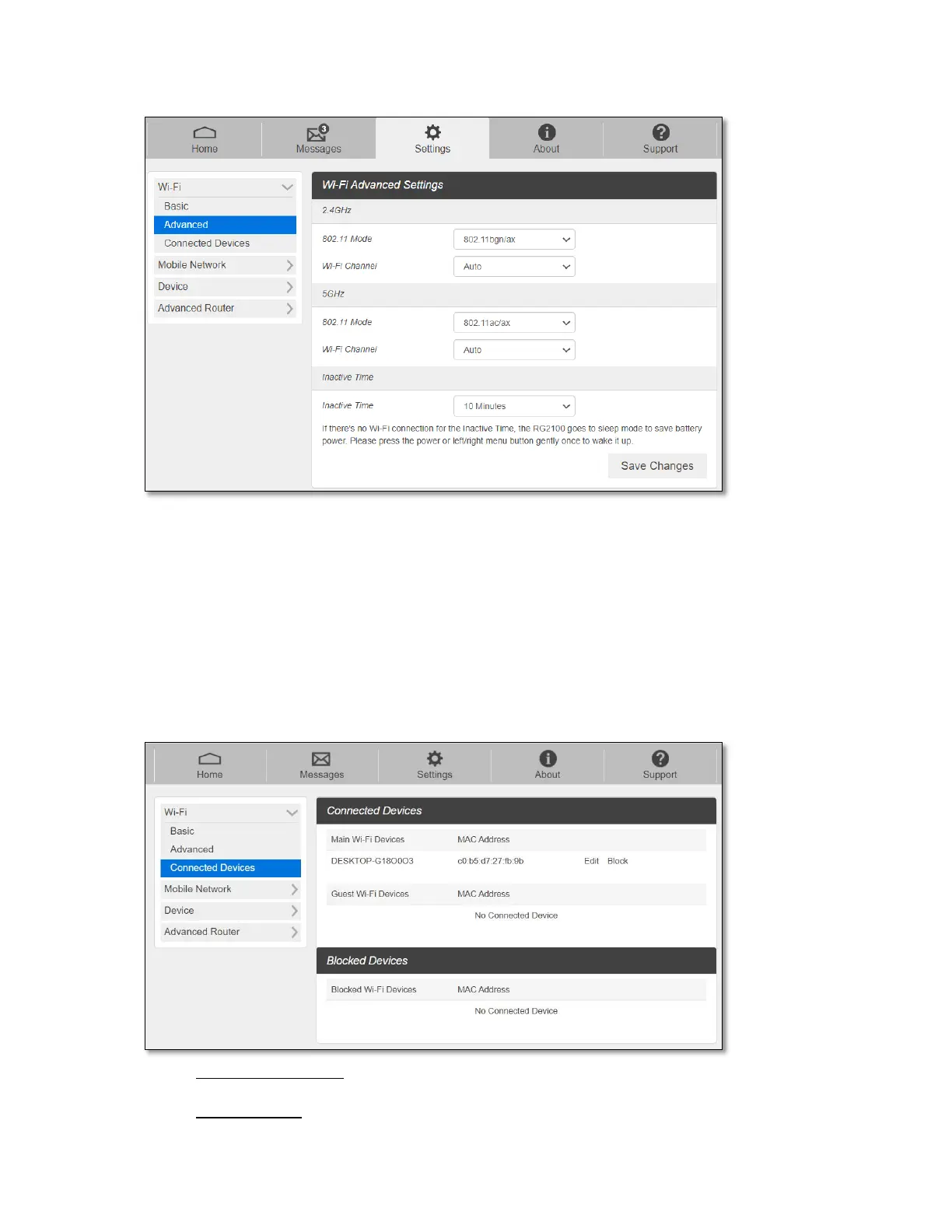
- 802.11 Mode: Select 802.11 mode from the drop-down list.
- Wi-Fi Channel: Select a Wi-Fi channel from the drop-down list.
- Inactive time: if there is no Wi-Fi connection for inactive time set here, the device
goes to sleep mode to save battery power.
NOTE: Default Inactive Time is 10 minutes. If there is no Wi-Fi connection to your RG2100
for more than 10 minutes, it goes to sleep mode. It is required to press the power button or
navigation buttons gently once to wake up your RG2100 to resume.
- Connected Devices
The Connected Devices menu contains the following options:
- Main Wi-Fi Devices – The hostname of the connected device as set on the
connected device.
- MAC Address – The MAC address is a unique identifier for this connected device.



 To Next Page