JIYI Robotics CO. Ltd
3.3 FCU Setup
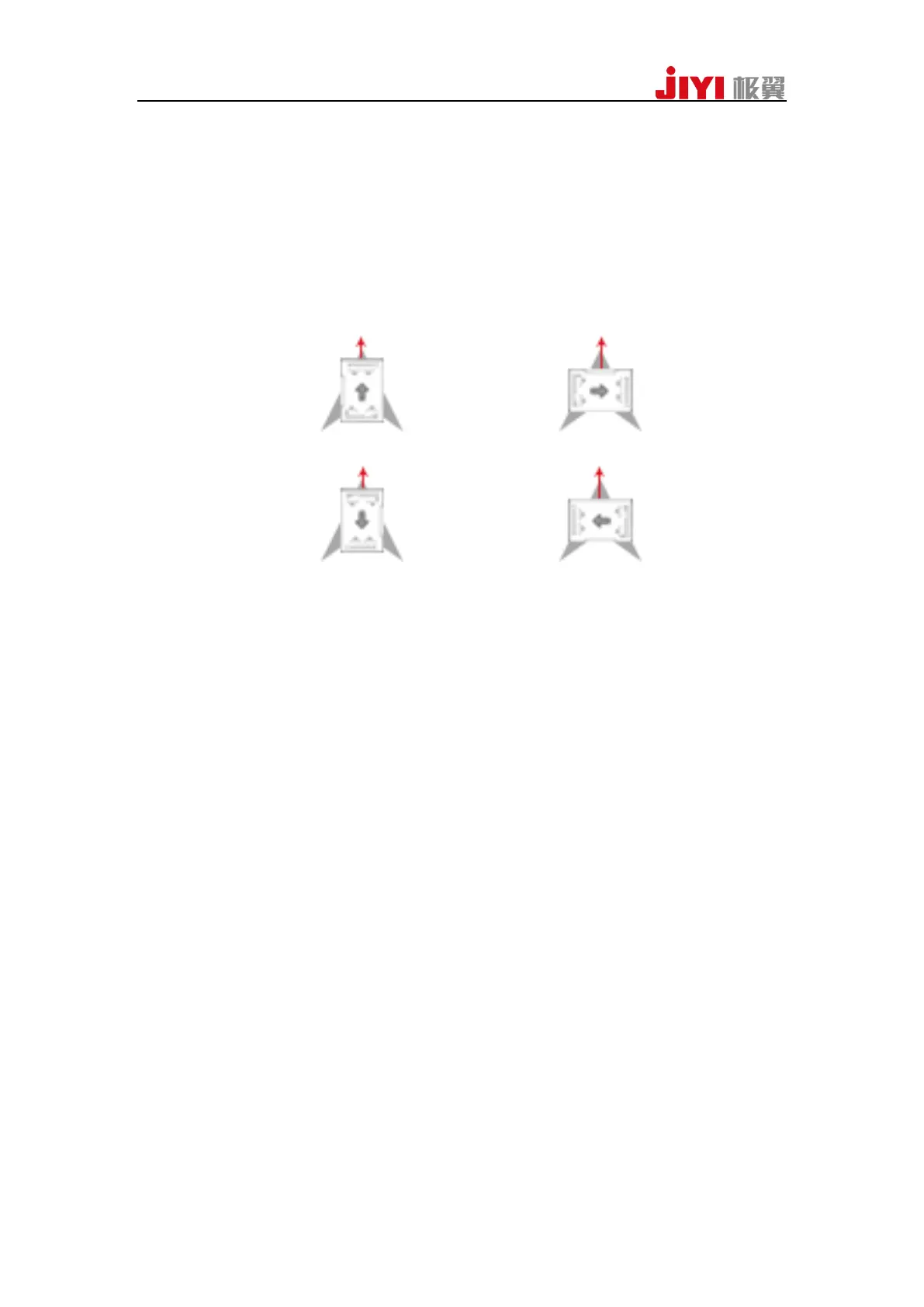
3.3.1 The Direction of K3A FCU
Please choose a direction as the following figure shown. And set the
corresponding configuration in the Assistant2 Software.
PATH: Basic Setting ->Installation - > IMU Direction. ( Nose direction indicates
by the red arrow).
3.3.2 Installation Position
(1) The K3A FCU must be face-up. Please don’t invert it and try your best to keep
paralleled .
(2) In order to guarantee the best flight effect, we suggest to install FCU horizontally
in the gravity center of the aircraft.
(3) The internal vibration reduction system has been assembled in FCU, so please use
tough 3M movedots to fix the FCU.
3.4 GPS Setup
3.4.1 Install Direction
Please choose a direction as the following figure shown.And set the
corresponding configuration in the Assistant2 Software.
PATH:Basic Setting ->Installation - >GPS direction . ( Red arrow indicates the
nose direction).



 To Next Page