12
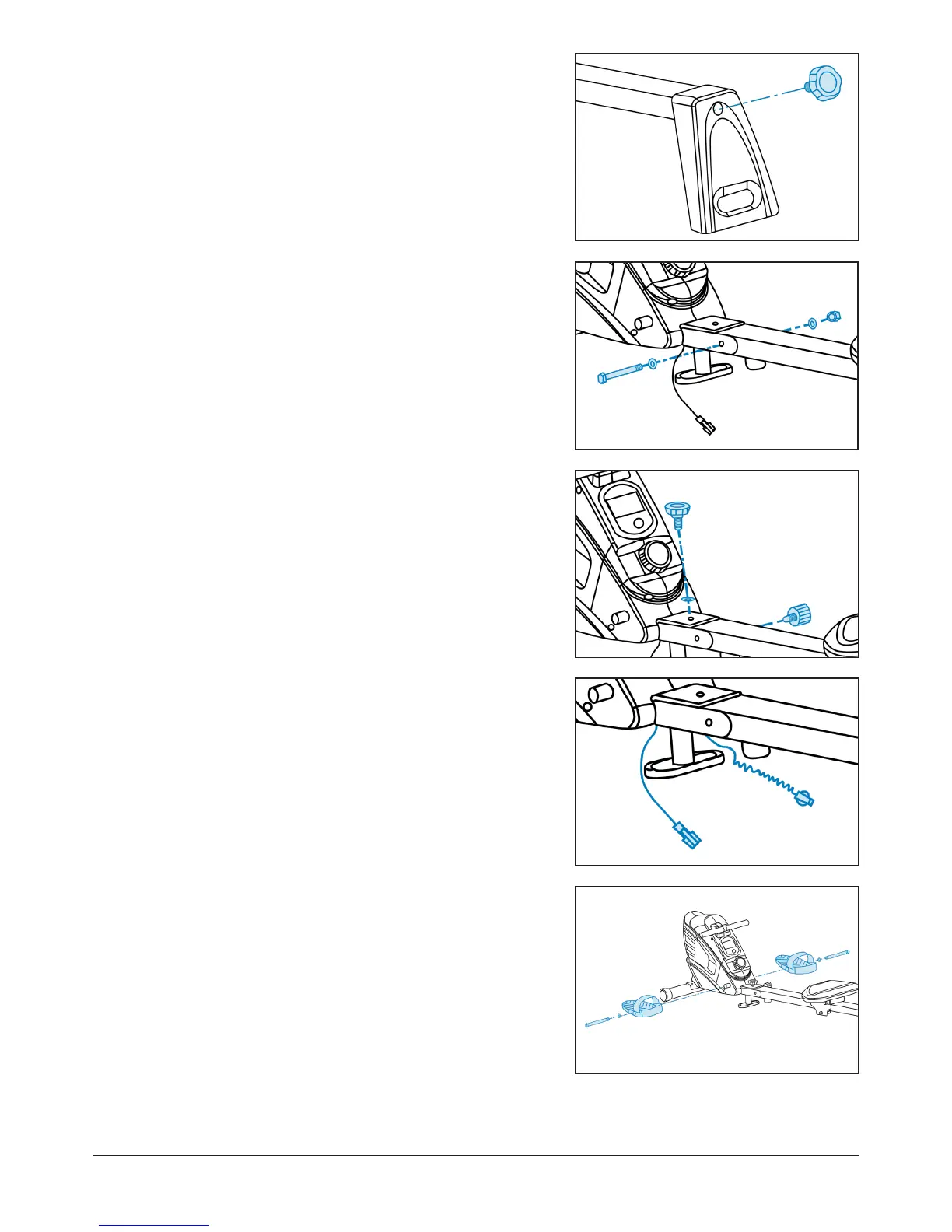
STEP 5
Add an M10 knob to the front of the slideway.
STEP 6
Attach the slideway to the main base using another
M10 hexagon bolt, two D10 flat washers and an M10
nylon nut.
Tighten using the spanner.
STEP 7
Secure the slideway using an M10 knob, flat washer
and an M16 knob.
STEP 8
Clip the sensor wires together.
Make sure the pins are aligned.
STEP 9
Feed two M12 bolts through each pedal with two
D13 flat washers to attach the footplates to the main
base.
Tighten using the spanner.


 To Next Page