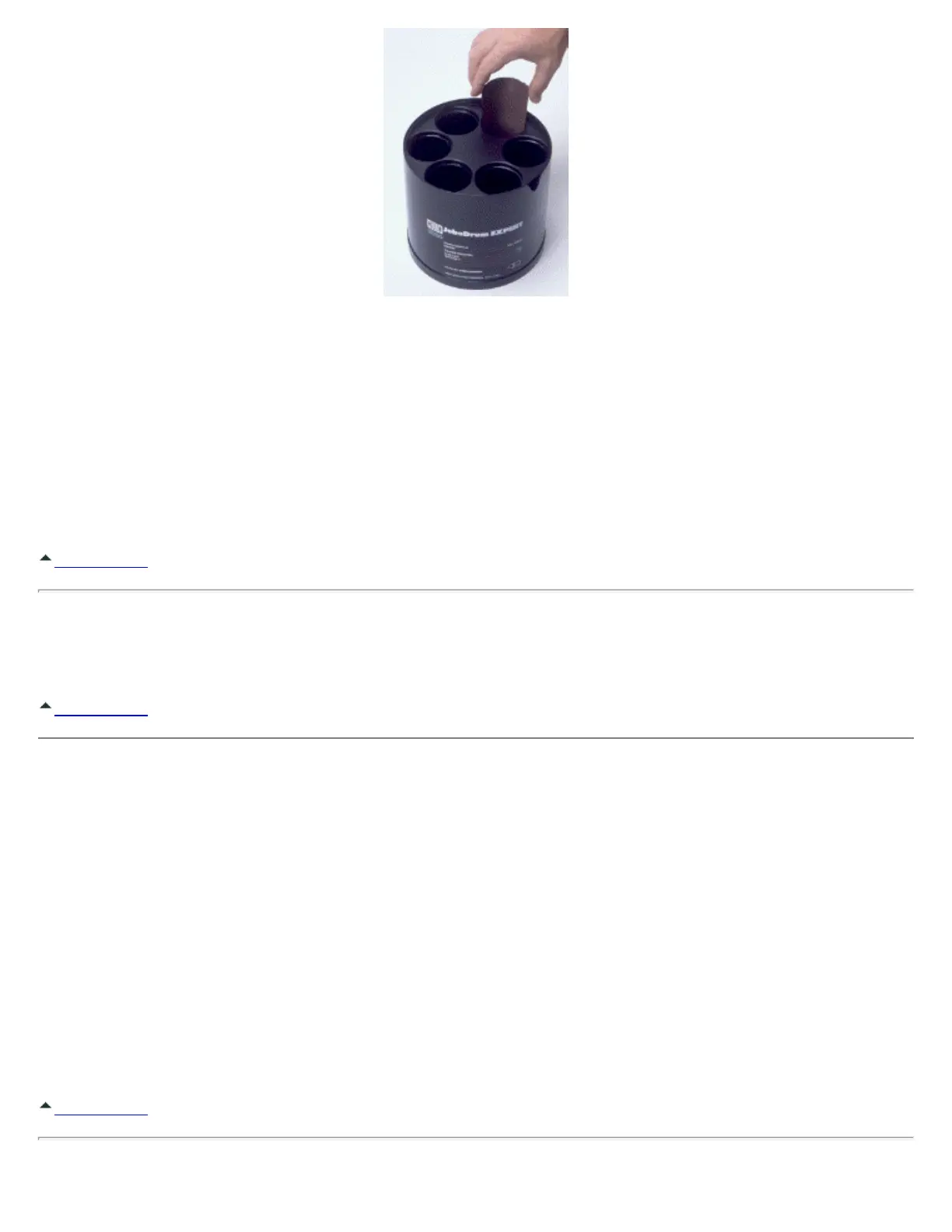
[Inserting Film Into the Expert Drum #3010]
Films must be inserted straight and not turned at an angle.
While loading the Drum, leave about 1/2 inch (12 mm) of film protruding up out of the cylinder as a "flag" to identify the
cylinders which already have film loaded in them. Before closing the lid, push the film down to its final position.
When loading 4 x 5 inch film, push the material into the cylinder only until it is flush with the top of the cylinder. When
loading the Drum with films of sizes 8 1/2 x12", 8x10" or 5x7", push the material to the bottom of the Drum cylinder.
Caution: The inside of the Drum and lid must be dry!
Back to Top
Closing the Drum
Put on the cog lid and press firmly all around its edges to assure an even fit. This is necessary for proper rotation.
Back to Top
Processing With the Drums
1. Set the lift arm coupling to "System 3000". (Upper connection)
2. Adjust water level in upper trough to approximately 1/4" (6 mm) above the bottom edge of the Drum.
3. Preheat or pre-rinse the Drum in the trough for five (5) minutes.
4. Set rotation speed for 50 rpm on ATL-2 or 3. (Approximately speed 4 on ATL-1, CPP-2 or CPA-2.)
Caution: Do not use the intermittent lift (rocking motion or lateral agitation) on any of the older ATL
processors, which offer this function.
Caution: The Expert Series of Drums will fit on JOBO CPA-2 and CPP-2 manual processors. Care must
be taken! A loaded Expert Drum can be very heavy and strain both the rotation motor and lift of manual
processors. Use both hands to help the lift when raising it, and observe the motor speed. You may need
to increase the rotation speed control setting to obtain desired speed. (Measure speed with reversing
switch set for one direction of rotation for testing only. Reset to reversing directions before processing.)
Back to Top


 To Next Page