Need help?
Do you have a question about the Joby Smart Stabilizer and is the answer not in the manual?
Explains how to fully charge the stabilizer using the micro USB cable and charger.
Guides on safely inserting the smartphone into the holder, specifying width limits and orientation.
Details how to balance the smartphone on the stabilizer for optimal performance by adjusting the cross arm.
Instructions for powering the stabilizer on and off, including status indicator feedback and motor protection.
Explains when and how to perform a stabilizer reset, including troubleshooting steps.
Provides critical usage guidelines, safety warnings, and handling advice for the stabilizer.
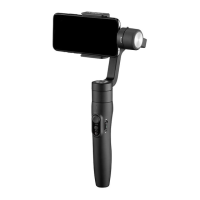
The JOBY smart stabilizer is a 3-axis handheld stabilizer designed for smartphones, enhancing video recording and photography by providing smooth, stable footage. It is engineered to reduce shake and blur, allowing users to capture professional-looking content with their mobile devices.
To begin using the stabilizer, it is crucial to fully charge the built-in battery. Connect the stabilizer to a 5V/2A USB charger (not included) using the provided Micro USB cable. The indicator light will turn red during charging and green once fully charged, signaling readiness for use. Before powering on the device, ensure your smartphone is securely installed. The stabilizer must be powered off when mounting the phone. The smartphone holder accommodates devices with a width range of 2.2-3.3 inches (57-84mm). For optimal performance, it is recommended to remove any protective case from your smartphone. To install, place the smartphone in the holder, push it against the back, and slide it towards the side of the stabilizer.
After mounting the smartphone, balancing is a critical step to ensure correct stabilizer functioning and prevent motor damage. With the stabilizer off, adjust the cross arm until the phone remains horizontal. If the smartphone tilts left, pull the cross arm to the right; if it tilts right, push the cross arm to the left. This balancing act ensures the stabilizer operates efficiently. The smartphone's orientation can be adjusted by rotating the phone holder. If the phone obstructs rotation, reposition it. When mounting the phone vertically, consider its weight: heavier phones (130-200g / 0.29-0.44 lbs) should be positioned in the middle of the holder, while lighter phones (<130g / <0.29 lbs) should be positioned towards the bottom.
To power on the stabilizer, press and hold the function button until the status indicator turns green and the device beeps. Powering off involves pressing and holding the function button until the status indicator changes from a flashing red to a solid red light, accompanied by a beep. It is vital to only turn on the stabilizer when a phone is mounted to prevent motor damage. Initial vibrations are normal for the first few seconds as the motor performs auto-adjustment; these will subside. If the battery is low, the status indicator will blink red three times every 5 seconds, indicating a need for charging. The stabilizer also offers a smartphone charging feature; simply connect your phone to the stabilizer using the appropriate cable (Micro to Micro, Micro to Lightning, or Micro to Type C) to charge it directly from the stabilizer.
The stabilizer features various operational modes and controls. The status indicator provides visual feedback on the current mode: blue light flashes once for Pan mode, twice for Follow mode, constant blue light for Lock mode/stabilizer initialization/motion control mode, and flashing blue light for initialization failure/malfunction. Red light flashes three times for low power and keeps flashing when powering off.
The Bluetooth shutter release button allows for remote control of your phone's camera. A single click takes a photo, while pressing and holding starts or stops video recording. During video recording, a single click can still capture stills. If the stabilizer fails to connect to the App, power off the device, then press and hold both the Bluetooth shutter release button and the function button to reset the Bluetooth connection.
The joystick provides intuitive control over the stabilizer's movement. Moving the joystick right/left controls pan, and up/down controls tilt. In Follow mode, the joystick can also adjust the roll axis angle (-30° to +30°) when moved right/left.
The function button offers multiple controls:
The trigger button also has specific functions:
The control slider allows for adjusting phone camera parameters when using the stabilizer App.
Automatic rotation of the smartphone is a key feature. To rotate from horizontal to vertical, hold the stabilizer horizontally parallel to the ground, then press and hold the trigger button while simultaneously clicking the function button once. To reset from vertical to horizontal, hold the stabilizer horizontally parallel to the ground and double-click the trigger button. This function works only when the stabilizer is held horizontally parallel to the ground.
The stabilizer supports several operation modes:
Maintenance includes resetting the stabilizer if the smartphone fails to remain level, if it hasn't been used for a long time, or if it's used in extreme temperatures. To reset, click the function button five times (motors will stop, status indicator turns solid blue). Place the stabilizer on a flat, horizontal surface. It will automatically reset after a few seconds of detecting no movement, indicated by three blue light flashes. After a successful reset, click the function button to restart. If the reset fails, try again.
For software updates, download the "Smart Stabilizer" App from the App Store (iOS) or Google Play (Android). Connect the stabilizer to the App to upgrade the firmware, ensuring you read the instructions carefully before upgrading.
Important notes for safe and effective use:
Troubleshooting common issues:
The JOBY smart stabilizer is a versatile tool designed to enhance smartphone videography and photography, offering a range of features for stable and creative content creation.
 General
| Material | - |
|---|---|
| Bluetooth | Yes |
| Attachment | 3/8 \ |
| Turn angle | 320 ° |
| Product color | Black |
| Tilt angle range | 0 - 320 ° |
| Number of sections | 1 |
| Maximum weight capacity | - kg |
 Weight and Dimensions
| Weight | 210 g |
|---|---|
| Folded depth | 118 mm |
| Folded width | 110.5 mm |
| Folded length | 323 mm |

 To Next Page