6
Joerns® Liing and Repositioning
Model HML400, C-HLA, C-HLA-2, C-HLA-2T
© 2015 Joerns Healthcare • IM-459001 RevC • 15-2003
6. Cradle/Swivel Bar Attachment
Cradle Attachment
a. Remove nut and bolt from cradle.
b. Hold cradle in position at the end of the boom
and align the holes of the pin and cap with the
holes in the boom end fork.
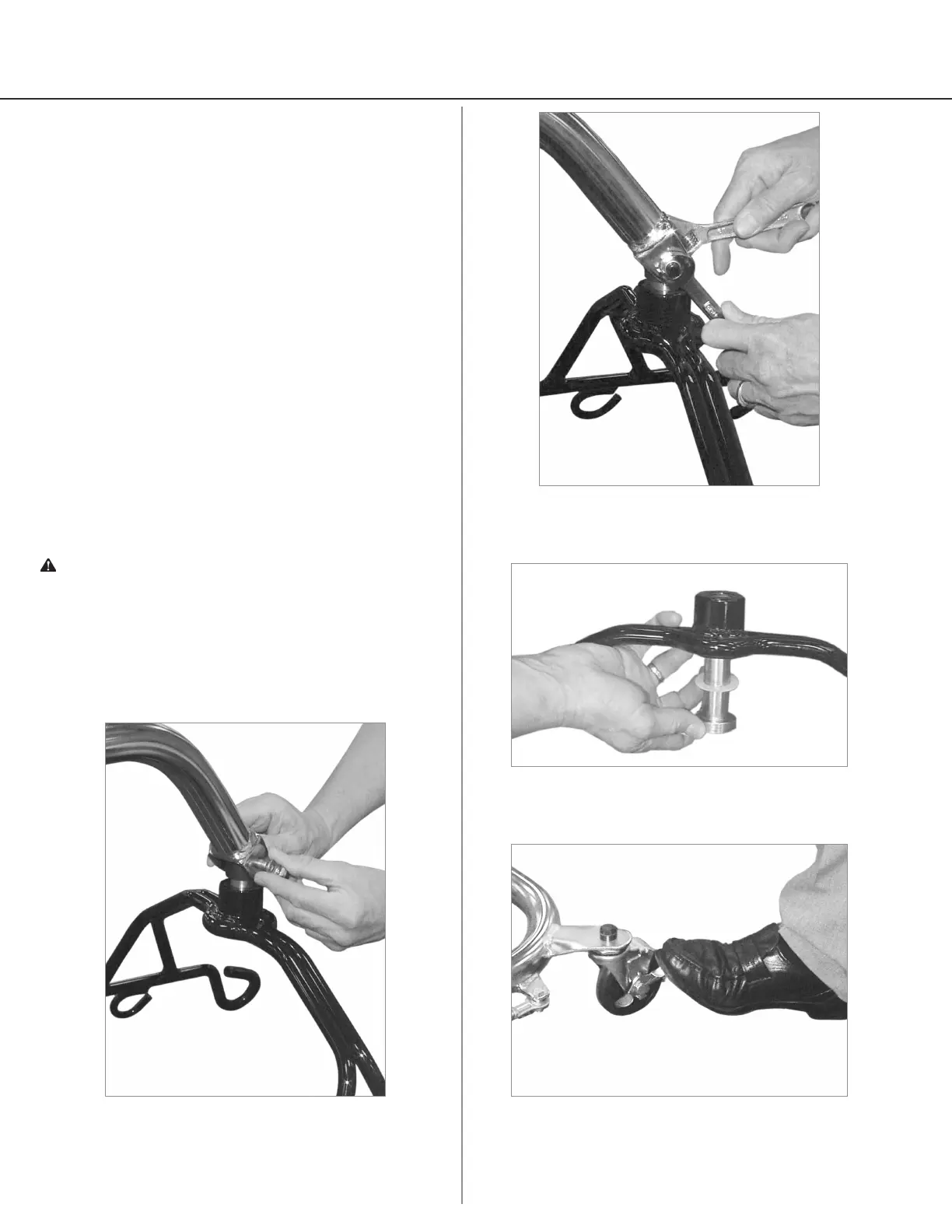
c. C-HLA, C-HLA-2, C-HLA-2T and C-CB-L2:
Insert supplied bolt and washer through boom
fork, cradle cap and pin. Washers must be
placed on the outside of the fork under bolt
head and under the nut (Figure. 5). Place nut
on bolt, and secure tightly (Figure 6).
d. HML400: Attach cradle with hardware.
e. Swivel cradle to check for free movement.
Swivel Bar Attachment - C-HLA Models only
f. Insert swivel bar hook into loop at end of
boom. Check to be sure bar hook is inserted
completely into the loop.
7. Attach adjusting lever handle into base (Figure 7).
8. Wheel locks are provided for parking. To lock
caster, step on cam lever on side of caster. To
unlock, step on highest cam lever (Figure 8).
Warning: The large thrust washer must be inserted on
the cradle hanger post as shown in Figure 7. If washer
is not present, the cradle hanger post and cradle
center may wear prematurely. Worn cradle parts could
fail, resulting in injury to resident/caregiver. Hanger
post should protrude cradle center by 1/16th inch.
Figure 5
Figure 6
Figure 7
Figure 8



 To Next Page