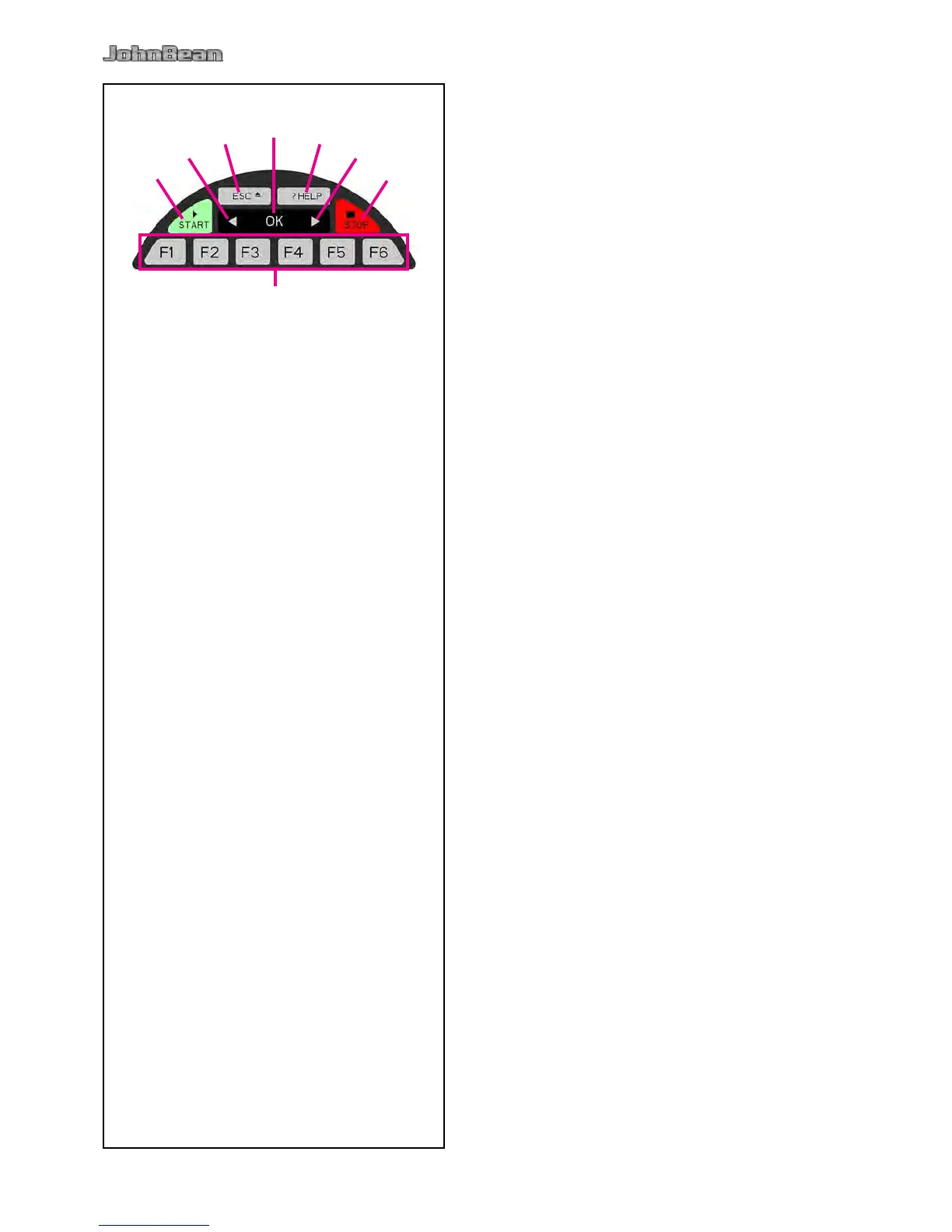
4.3 Key pad
Fig. 4-15 Key pad
1 Menu keys (associated with a menu eld)
2 ESC key
3 HELP key
4 START key
5 STOP key (emergency stop)
6 Key to decrease
7 OK key (to conrm)
8 Key to increase
Description of keys
1 Menu keys
– Carry out or continue certain functions or steps of
operation.
The meaning of the menu keys is shown by associated
pictographs (symbols) on the screen.
2 ESC key
– Switch back to the previous screen (status).
– Exits the C codes procedures
– Deletes the help information and error messages.
3 HELP key
– Display useful information to explain a situation and
– in case of error codes – provide hints for remedy.
4 START key
– Start the measuring run.
Press to start balancer cycle, with the wheel guard
down.
5 STOP key (Emergency Stop)
– Stop a measuring run that has just been initiated
and brake the wheel.
The STOP key also has an emergency stop function.
6 - key
To decrease an input value (e.g. rim diameter,
offset, rim width).
Hold down the key to reduce the values shown
automatically.
7 OK key
– Inserts the Menu options selected previously.
8 + key
To increase an input value (e.g. rim diameter, offset,
rim width).
Hold the key down to increase the values shown
automatically.



 To Next Page