5.7 Balancing
Preliminary operations:
– If necessary, perform a compensation run( 6.1).
– Check the wheel is clamped correctly ( 5.1).
– Select the Type of Vehicle ( 5.5.1).
– Read the rim dimension parameters ( 5.4).
If more than one wheel of the same type needs to be
balanced (the same nominal dimensions) the data need
only be set for the rst wheel. The selections stay set
until other new data is set or the machine is switched off.
5.7.1 Measuring imbalance
Having completed the preliminary operations, a
Measuring run can be launched:
Press the START key or lower the wheel guard
according to which function has been preselected.
With Code C13 set on “1”;
• Close the wheel guard.
With Code C13 set on “0”;
• Close the wheel guard and press START.
Lower the wheel guard from the fully raised position.
Pull the guard smoothly at medium speed, without
stops or jerking even to the side.
Note:
You must be very careful when lowering the guard,
as the machine simultaneously scans the wheel
external rim prole.
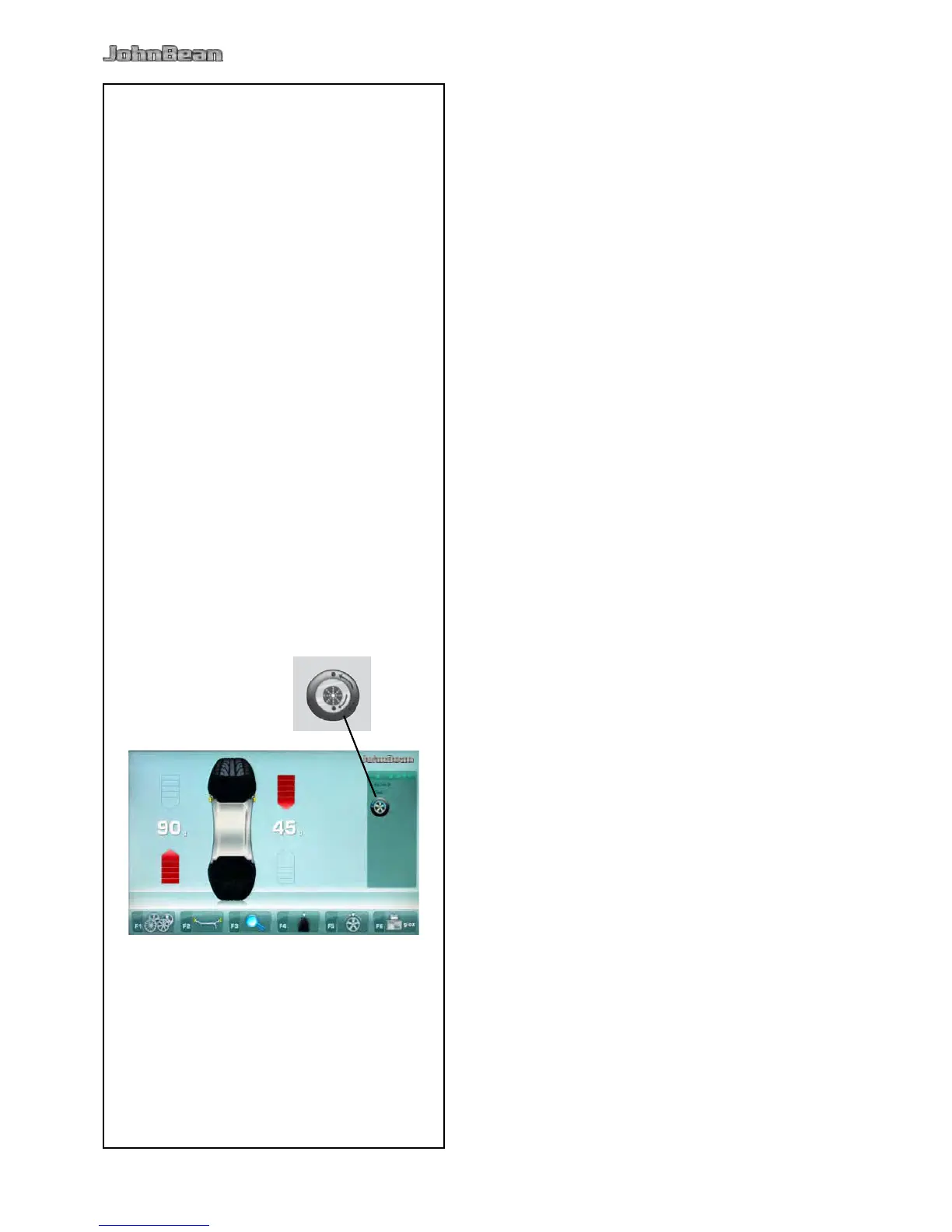
The BALANCING screen appears (Fig. 5-16).
After measurement the balance weights can be tted,
or a weight minimization or optimization run can be
carried out. The specic icon (1, Fig. 5-16), indicates
that the machine suggests a weight Optimization or
Minimization procedure is carried out (
5.10).
After measurement the machine stops automatically
and the wheel is braked.
The screen shows the unbalance measured for each
correction plane and the direction towards correction.



 To Next Page