VYPER
™
VARIABLE SPEED DRIVE
OPERATION
S100-200 IOM (MAY 08)
Page 33
SETTING THE USER LEVEL
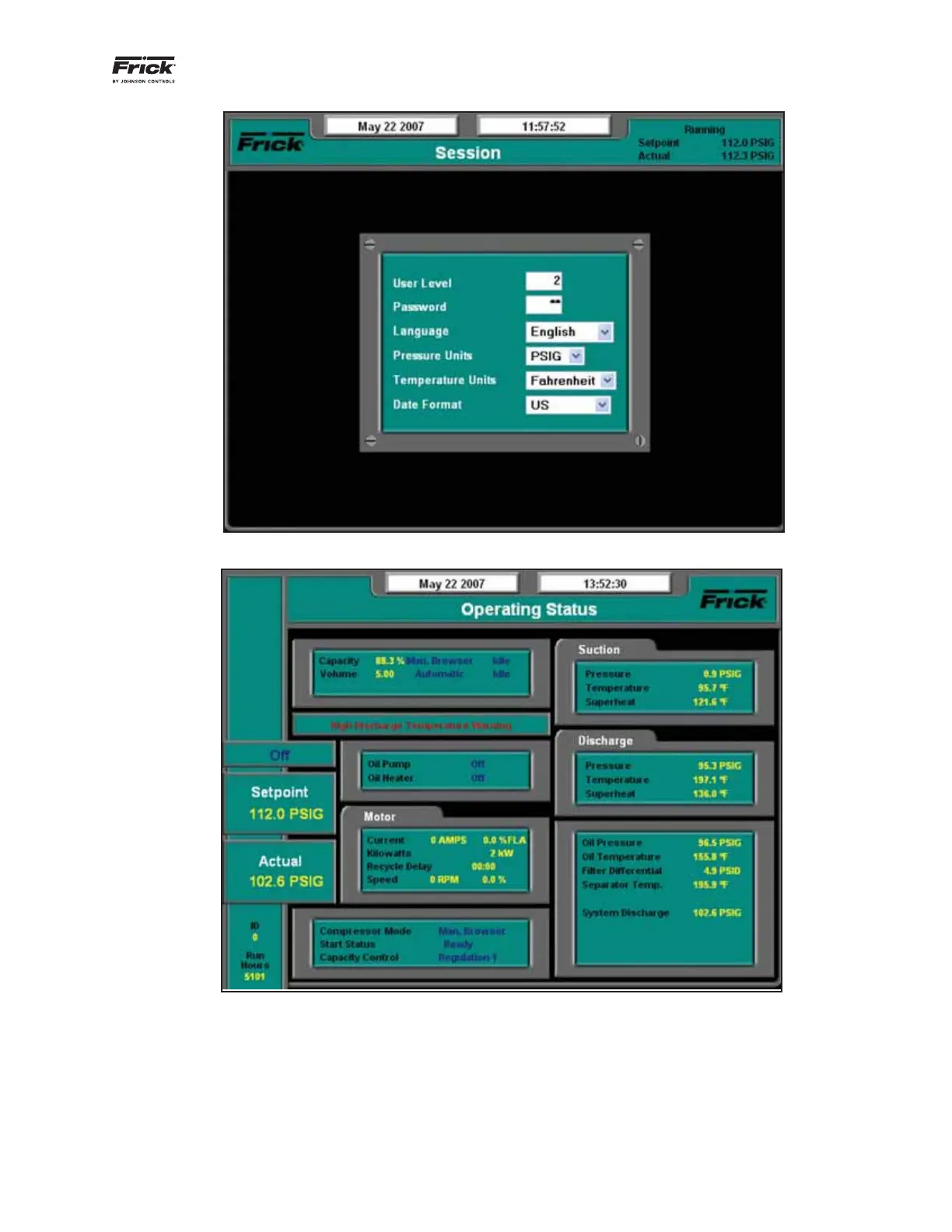
Press: [Menu→Session].
The screen shown in Figure 39 will appear.
Type “2” into the User Level fi eld.
Enter Level 2 password.
Return to the menu and the Home screen. The home
screen will now provide additional information as shown in
Figure 40.
Figure 39 - Setting User Level
Figure 40 - Home Screen After Changing to Service Level 2



 To Next Page
 Loading...