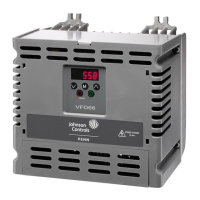
VYPER
™
VARIABLE SPEED DRIVE
OPERATION
S100-200 IOM (MAY 08)
Page 45
Figure 53 - Vyper
™
Level 2 Screen
Figure 55 - Dip Switch Settings
The FIB Switch Status Chart table shows the proper dip
switch settings. Please verify that the switches are set to
these positions before attempting to start the unit.
FIB Switch Status Chart
Switch Status Switch Status
4 Open 8 Open
3 Open 7 Closed
2 Closed 6 Open
1 Closed 5 Open
4 Open
3 Open
Open
2 Open
1 Open
FRICK INTERFACE BOARD
DIP SWITCH SETTINGS
(Used before Jan 2008)
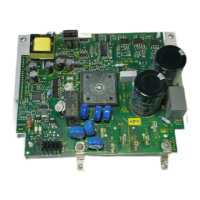
On the Frick Interface Board (Figure 54) on the Vyper
™
right
door there is a dip switch array. The array is located at the
upper right of the FIB as shown in the photograph below.
This dip switch array must be set correctly for the Vyper
™
to
operate properly. The switches should be set at the factory
but it is good practice to verify the settings before starting the
Vyper
™
. The switches should be set as shown in Figure 55.
Figure 54 - Frick Interface Board



 To Next Page
 Loading...