QOLSYS CONFIDENTIAL AND PROPRIETARY
PAGE OF 12 198
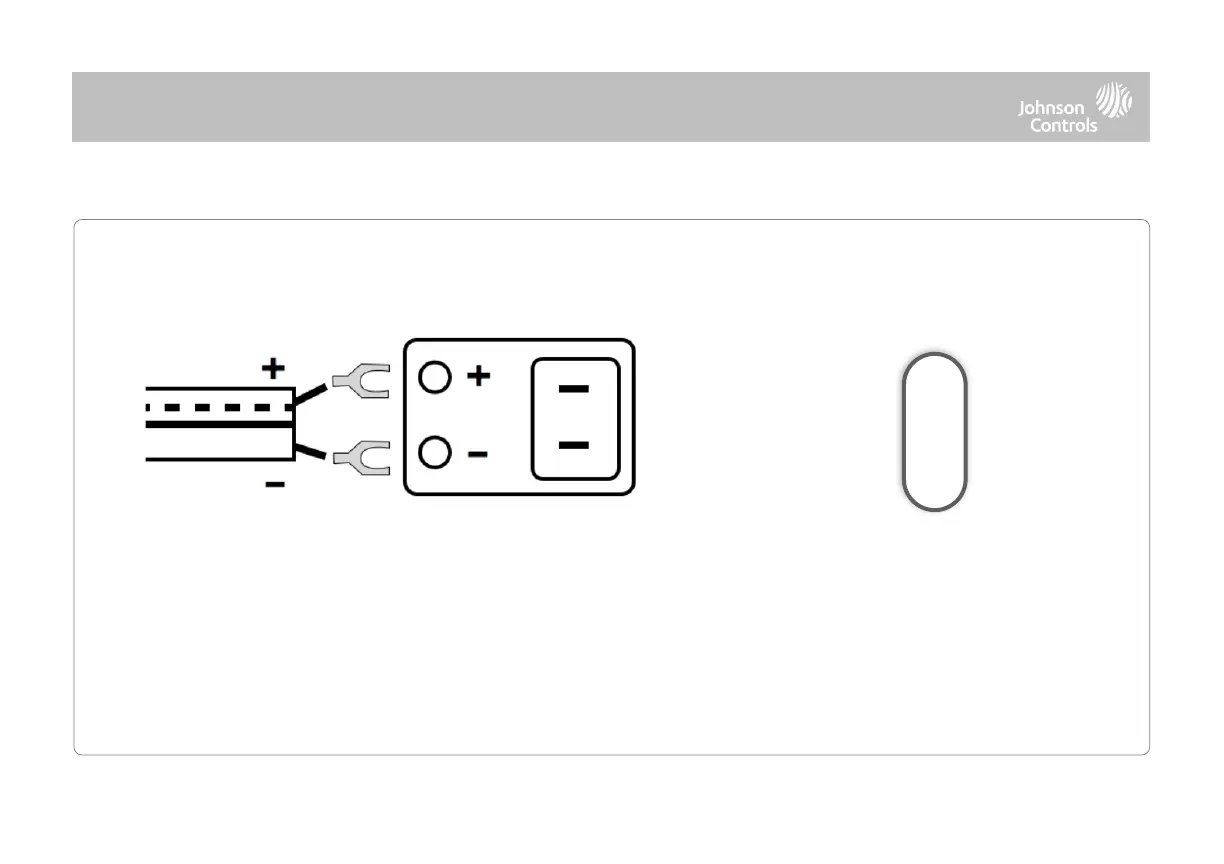
Press and hold the power button on
the right side of the panel for 3
seconds to power up.
Connect power supply.
WARNING! Use included 7v⎓DC Power Supply ONLY
If using the provided cable, the “striped” wire is (+)
Note: Power supply shall be located within same room as control unit
Note: This unit must be powered by a 24-hour, 120 V, 60 Hz or 230-240 VAC, 50 Hz circuit (as appropriate for your country) that cannot be turned off by
a switch, dimmer, or Residual Current Device. Failure to provide this circuit may prevent it from providing constant protection. Power supply shall be
located within same room as control unit.



 To Next Page