Troubleshooting Field Controllers
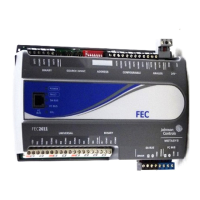
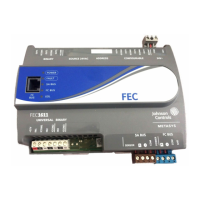
Observe the Status LEDs on the front of the field
controller and see Table 9 to troubleshoot the controller.
To troubleshoot a local controller display, refer to the
DIS1710 Local Controller Display Technical Bulletin
(LIT-12011270).
Table 9: Status LEDs and Descriptions of LED States
Description of LED StatesNormal LED
State
LED ColorLED Label
Off Steady = No Supply Power or the controller’s polyswitch/resettable fuse
is open. Check Output wiring for short circuits and cycle power to controller.
On Steady = Power Connected
On SteadyGreenPOWER
Off Steady = No Faults
On Steady = Device Fault; no application loaded; Main Code download
required, if controller is in Boot mode, or a firmware mismatch exists between
the FEC and the ZFR1811 Wireless Field Bus Router.
Blink - 2 Hz = Download or Startup in progress, not ready for normal operation
Off SteadyRedFAULT
Blink - 2 Hz = Data Transmission (normal communication)
Off Steady = No Data Transmission (N/A - auto baud not supported)
On Steady = Communication lost, waiting to join communication ring
Blink - 2 HzGreenSA BUS
Blink - 2 Hz = Data Transmission (normal communication)
Off Steady = No Data Transmission (auto baud in progress)
On Steady = Communication lost, waiting to join communication ring
Blink - 2 HzGreenFC BUS
On Steady = EOL switch in ON position
Off Steady = EOL switch in Off position
Off (Except on
terminating
devices)
AmberEOL
Repair Information
If a controller fails to operate within its specifications,
replace the controller. For a replacement controller,
contact your Johnson Controls representative.
For the MS-FEC2611-0U and MS-FEC2621-0U models
that are UL 864 10th Edition UUKL/ORD-C100-13 UUKLC
listed for smoke control, contact the Johnson Controls
Repair Center in Louisville, Kentucky, at 1-502-671-7312.
Accessories
See Table 10 for controller accessories ordering information.
Table 10: Accessories Ordering Information
DescriptionProduct Code Number
Local Controller Display (for use with MS-FEC2611 model only)MS-DIS1710-0
Transformer, 120 VAC Primary to 24 VAC secondary, 20 VA, Wall PlugTP-2420
Transformer, 120/208/240 VAC Primary to 24 VAC Secondary, 40 VA, Foot Mount, 8 in.
Primary Leads and Secondary Screw Terminals, Class 2
Note: Additional Y6x-x Series transformers are also available. Refer to the Series Y63,
Y64, Y65, Y66, and Y69 Transformers Product Bulletin (LIT-125755) for more
information.
Y65T31-0
Power transformer (Class 2, 24 VAC, 50 VA maximum output), no enclosureAS-XFR050-0
Replacement SA Bus Terminal Blocks, 4-Position, Brown, Bulk Pack of 10AP-TBK4SA-0
Replacement FC Bus Terminal Blocks, 4-Position, Blue, Bulk Pack of 10AP-TBK4FC-0
24FEC26 Field Equipment Controllers Installation Instructions



 To Next Page
 Loading...