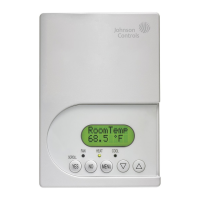
T600HPx-4 and T600HPx-4+PIR Series Heat Pump Thermostat Controllers
Installation Instructions
1
Applications
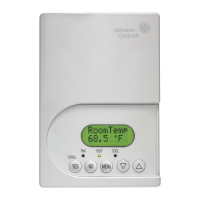
The T600HPN-4 and T600HPN-4+PIR
non-programmable and T600HPP-4 and
T600HPP-4+PIR programmable thermostat controllers
are specifically designed for control of heat pump
commercial heating and cooling equipment.
North American Emissions Compliance
United States
Canada
Installation
Location Considerations
Locate the T600HPx-4 or T600HPx-4+PIR Series
Thermostat Controller:
• on a partitioning wall, approximately 5 ft (1.5 m)
above the floor in a location of average
temperature
• away from direct sunlight, radiant heat, outside
walls, outside doors, air discharge grills, or
stairwells; or from behind doors
• away from steam or water pipes, warm air stacks,
unconditioned areas (not heated or cooled), or
sources of electrical interference
For integrated Passive Infrared (PIR) models, be sure
that the thermostat controller is located centrally, where
occupant movement is abundant.
Note: Allow for vertical air circulation to the thermostat
controller.
To install the thermostat controller:
1. Use a Phillips-head screwdriver to remove the
security screw if it is installed on the bottom of the
thermostat controller cover.
Note: Normally, the security screw comes packaged
separately in a plastic bag with the thermostat
controller. Skip this step if the screw is not installed on
the bottom of the cover.
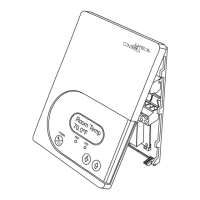
2. Pull the bottom edge of the thermostat controller
cover and open the thermostat controller as
illustrated in Figure 1.
IMPORTANT: The T600HPx-4 and
T600HPx-4+PIR Series Thermostat Controllers are
intended to provide an input to equipment under
normal operating conditions. Where failure or
malfunction of the thermostat controller could lead to
personal injury or property damage to the controlled
equipment or other property, additional precautions
must be designed into the control system.
Incorporate and maintain other devices, such as
supervisory or alarm systems or safety or limit
controls, intended to warn of or protect against
failure or malfunction of the thermostat controller.
This equipment has been tested and found to
comply with the limits for a Class A digital device
pursuant to Part 15 of the FCC Rules. These limits
are designed to provide reasonable protection
against harmful interference when this equipment is
operated in a commercial environment. This
equipment generates, uses, and can radiate radio
frequency energy and, if not installed and used in
accordance with the instruction manual, may cause
harmful interference to radio communications.
Operation of this equipment in a residential area is
likely to cause harmful interference, in which case
the user will be required to correct the interference
at his/her own expense.
This Class (A) digital apparatus meets all the
requirements of the Canadian Interference-Causing
Equipment Regulations.
Cet appareil numérique de la Classe (A) respecte
toutes les exigences du Règlement sur le matériel
brouilleur du Canada.
T600HPx-4 and T600HPx-4+PIR Series Heat Pump
Thermostat Controllers
Installation Instructions
T600HPN-4, T600HPP-4,
T600HPN-4+PIR, T600HPP-4+PIR
Part No. 24-9890-927, Rev. —
Issued September 17, 2009

 Need help?
 General





 To Next Page