EasyManua.ls Logo

Johnson Controls T7000e - User Manual

Johnson Controls T7000e
21 pages
Print Icon
To Next Page IconTo Next Page
Loading...
本文档如有变化,恕不另行通
FAN-8941(1123)
液晶数字式温控器
LCD Digital Thermostat
安装说明书 Installation Guide
FAN-8941(1123)
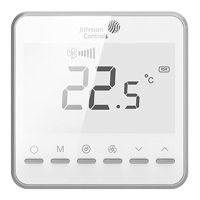
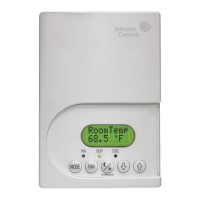
T7000e
> 50 cm
> 150 cm
°C
Building Efficiency
Headquarters: Milwaukee, Wisconsin, USA
Branch Officies: Principal Cities World-wide
Johnson Controls® is registered trademarks of Johnson Controls.
All other marks herein are the marks of their respective owners.
© Copyright 2023 Johnson Controls. All rights reserved. Any unauthorized use or copying is strictly prohibited.
www.johnsoncontrols.com
工作环境
MAX MAXMIN MIN
50°C
99°F
60°C
140°F
0°C
32°F
-30°C
-22°F
MAX 90% RH
MIN 5% RH
Ambient

Questions and Answers

Johnson Controls T7000e Specifications

General IconGeneral
BrandJohnson Controls
ModelT7000e
CategoryThermostat
LanguageEnglish

Summary

Installation and Safety

Installation Instructions

Read installation sheet and safety warnings carefully before installation.

Repair and Replacement

Do not attempt to repair; contact representative for issues.

Important Precautions and Warnings

Crucial operational, environmental, wiring, and electrical safety precautions.

Thermostat Operation Guide

On;Off and Mode Selection

How to turn the thermostat on/off and select operating modes.

Temperature and Fan Speed Adjustment

How to adjust the set temperature and fan speed settings.

Key Lock, Health, Timers, and Protection

Features like key locking, health function, automatic timers, and low-temperature protection.

Advanced Configuration and Settings

Dry Contact and Remote Sensor Configuration

Configuring dry contact inputs and external remote sensors.

Filter Cleaning Reminder and Remote Setting

Managing filter replacement reminders and remote configuration.

Configuration Management

Procedures for restoring factory defaults and accessing parameter settings.

Parameter Reference - P Parameters

System and Application Parameters (P1-P6)

Parameters for system configuration, application selection, and input functions.

Parameter Reference - H, E, and Initial F Parameters

Operational and Display Parameters (H0-H8)

Settings for temperature limits, backlight, and operational modes.

Control and Timing Parameters (E0-E9, F0-F2)

Parameters for controlling operation, timing, and protection features.

Parameter Reference - Advanced F and U Parameters

ECM Fan Control Parameters (F3-F8)

Parameters for ECM fan voltage and speed settings.

Proportional Valve Control Parameters (U0-U5)

Parameters for proportional valve PID control and voltage settings.

Troubleshooting and Compliance

Troubleshooting Common Issues

Solutions for common thermostat failures and error indicators.

Product Compliance and Hazardous Substances

Information on product compliance and hazardous substance content.

Legal and Warranty Information

End User License Agreement

Legal agreement governing the use of the thermostat's software.

Product Warranty Information

Information regarding the limited warranty for the product.

Related product manuals