
 Need help?
Do you have a question about the Johnson Controls T9100 and is the answer not in the manual?
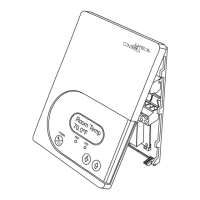
Identifies the T9100 Commercial Digital Thermostat with Humidity Control.
Mentions the Skyport cloud services for the thermostat.
Details FCC and Industry Canada compliance statements for the device.
Defines essential terms used in the thermostat manual for understanding its functions.
Describes the main display elements and icons of the thermostat's home screen.
Explains how to navigate between the Main Menu and Sub Menu screens.
Details the information shown on the dropdown dashboard, including temperature and humidity.
Shows how to view weather forecasts, requiring a Skyport connection.
Explains how to view onboard and wireless sensor data.
Provides information about the thermostat, including its name and firmware version.
Shows the configured HVAC equipment stages and types.
Lists the available thermostat output terminals and their functions.
Instructs on how to clean the thermostat screen using a soft, damp cloth.
Warns against using abrasive cleaners or solvents on the thermostat.
Explains how to use the Warmer and Cooler buttons to adjust temperature setpoints.
Details how to select between Heat, Cool, Auto, and Off modes.
Describes how to control the fan using the Fan button (On/Auto).
Details how to use the Override button for unoccupied, occupied, and holiday periods.
Guides on setting the current time and date on the thermostat.
Explains how to set up Daylight Savings Time, including start and stop schedules.
Provides step-by-step instructions to set the current time.
Explains how to choose between 12-hour AM/PM or 24-hour clock format.
Guides on setting the current date using the calendar interface.
Details configuring the start and end schedules for Daylight Savings Time.
Guides on connecting the thermostat to a Wi-Fi network for the first time.
Explains how to connect to a Wi-Fi network using the thermostat's menu.
Guides on creating a Skyport account and linking the thermostat via a web browser.
Explains how to view the programmed schedule settings for each day.
Guides on editing individual or group days for schedule programming.
Shows how to view the settings for each occupied period of the schedule.
Details how to program occupied time periods by selecting days and editing settings.
Guides on adjusting mode, start/stop times, and setpoints for occupied periods.
Explains how to set the mode and setpoints for unoccupied periods.
Describes options for fan operation, including Auto and On states.
Explains Fan Purge and Preoccupancy Purge Time settings.
Details how to set the fan to run continuously or only with heating/cooling.
Describes the Preoccupancy Fan Purge feature for pre-conditioning.
Outlines options for turning the screensaver on/off and setting it up.
Explains how to preview the screensaver configuration.
Guides on enabling the screensaver and configuring delay, type, and images.
Explains how to view and reset current service alerts on the thermostat.
Guides on setting reminders for service calls, filter changes, and UV lamps.
Details how to view and clear service alerts and manage reminders.
Shows how to find service company contact information.
Covers settings for active and idle screen brightness.
Explains how to configure the night dimmer and schedule.
Details how to select brightness levels for active and idle display states.
Guides on setting up automatic night dimming and its schedule.
Explains how to clean the screen safely while it's disabled.
Guides on calibrating the touch screen if it becomes unresponsive.
Allows selection of user interface themes and custom wallpaper.
Covers heat/cool indicators and sound options like beep alerts.
Explains how to choose background themes and custom wallpaper.
Details how to enable/disable beep sounds and select beep tones.
Guides on setting humidification levels, heat dependency, and fan usage.
Details settings for dehumidification, including setpoint, AC usage, and overcool.
Provides detailed steps for humidification settings, including setpoint and heat integration.
Explains dehumidification settings like setpoint, AC usage, overcool, and reheat.
Explains how to turn the Holiday Schedule feature on or off.
Guides on selecting, repeating, and viewing holiday information.
Details how to select holidays, repeat them, and use info/repeat buttons.
Guides on deselecting holidays and marking days as non-holidays.
Explains how to delete or manage repeating custom holidays.
Covers selecting preset holidays, overriding modes, and turning off holiday mode.
Guides on setting up auto screenlock and passcode.
Covers setting limits for temperature adjustments and maximum override time.
Details how to enable auto screenlock, set a passcode, and define lock duration.
Explains options to restrict fan/mode, setpoint, and override changes.
Sets limits on how high or low heating and cooling can be adjusted.
Guides on viewing runtime graphs for cooling, heating, and override.
Explains how to view dealer contact information for service needs.
Details how to interpret runtime graphs for cooling, heating, and override usage.
Covers setting the thermostat name and choosing available operating modes.
Guides on using the SD card for settings and configuring general options like units and language.
Explains Smart Recovery and Automated Demand Response setup.
Details settings for timers and deadbands across multiple heating/cooling stages.
Covers heat pump lockouts, aux heat lockouts, and fan off delay settings.
Guides on selecting control sensors, wireless sensors, and wired sensor usage.
Covers entering dealer contact info and upgrading thermostat firmware.
Guides on deleting custom images, resetting to factory defaults, and restarting the thermostat.
Covers naming the thermostat and choosing available operating modes.
Details using the SD card for settings and selecting temperature units (Fahrenheit/Celsius).
Covers language selection and configuring the Smart Recovery feature.
Details heat/cool stages, compressor stages, and timer/deadband configurations.
Guides on setting deadbands for the first and second stages of heating/cooling.
Details configuring the 2nd stage timer and turnoff point.
Explains what Automated Demand Response is and how it works with utility signals.
Guides on setting maximum cooling and minimum heating setpoints for ADR events.
Details configuring static setpoints and offset adjustments for ADR.
Explains how to set a price threshold and the dependent action for ADR events.
Shows how to view a summary of past Automated Demand Response events.
Guides on enabling ADR and setting price dependent actions.
Details how the thermostat invokes setpoint offsets during ADR events based on price.
Guides on limiting the maximum cooling setpoint allowed during ADR events.
Guides on limiting the minimum heating setpoint allowed during ADR events.
Guides on adjusting the static cooling setpoint for ADR events.
Guides on adjusting the static heating setpoint for ADR events.
Guides on adjusting the cool setpoint offset applied during ADR events.
Guides on adjusting the heat setpoint offset applied during ADR events.
Describes the yellow leaf indicator for pending ADR events.
Describes the green leaf indicator for active ADR events.
Explains how users can opt out of ADR events by pressing Warmer/Cooler buttons.
Details notifications for pricing triggered ADR, including cost and text.
Guides on enabling/disabling heat pump lockout and setting outdoor temperature limits.
Covers enabling/disabling aux heat lockout and setting temperature limits.
Explains how to use the W3/AUX output for Heating, Humidification, or Dehumidification.
Guides on setting the polarity (Normally Open/Closed) for humidification equipment.
Details setting the fan off delay after cooling or heat turns off.
Guides on selecting control sensors and configuring wired/wireless sensor usage.
Guides on calibrating thermostat and wired sensors for temperature and humidity.
Explains how installers can test thermostat output functions without delays.
Covers entering dealer contact info and upgrading thermostat firmware.
Guides on deleting custom images, resetting to factory defaults, and restarting the thermostat.
Guides on enabling the Wi-Fi radio and checking its status and ID.
Details selecting a network and entering the password for Wi-Fi connection.
Explains how to view network name, signal strength, MAC, and IP address.
Guides on choosing a network from the list and refreshing if needed.
Guides on turning the HTTP or HTTPS Local API on or off.
Details selecting between HTTP and HTTPS protocols for the API.
Guides on entering the username for basic authentication for the Local API.
Guides on entering the password for basic authentication for the Local API.
Guides on entering the password for basic authentication for the Local API.
Explains how to enable the Local API after setting up authentication.
Guides on enabling Skyport services and weather updates for the thermostat.
Explains how to check if paired with a Skyport account and create one.
Explains how to initiate Emergency Heat for heat pumps and its operation.
Provides information on downloading and using the desktop app for updates.
Guides on saving photos and settings to an SD card from the computer.
Explains how to insert the SD card and import photos/settings into the thermostat.
Lists required tools and preparatory steps before installing the thermostat.
Provides step-by-step instructions for safely removing the existing thermostat.
Provides a chart to match old thermostat terminal designations to the new thermostat.
Details wiring requirements for heating-only systems without AC.
Explains wiring for single-stage fossil fuel heaters with AC, including 4/5 wire options.
Details wiring for heat pumps without auxiliary heat (5-wire).
Details wiring for heat pumps with auxiliary heat (6-wire).
Provides step-by-step instructions for using 4 wires when 5 are needed.
Provides step-by-step instructions for using 5 wires when 6 are needed.
Lists and describes the function of each terminal on the thermostat backplate.
Explains how to configure the GAS/EL vs. HP dip switch for system type.
Details configuring the O/B dip switch for reversing valve and GAS/ELEC for aux heat type.
Shows wiring diagram for a 2-wire heat-only system.
Shows wiring diagram for a 4-wire cool-only system.
Shows wiring diagrams for 5-wire systems with heat and cool.
Shows wiring for a 5-wire heat pump system with an 'O' reversing valve.
Shows wiring for a 6-wire heat pump system with an 'O' reversing valve.
Illustrates wiring for an outdoor remote sensor.
Illustrates wiring for an indoor remote sensor with override.
Shows wiring for connecting a humidification system to the thermostat.
Shows wiring for connecting a dehumidification system to the thermostat.
Addresses issues with the touch screen not responding and calibration.
Covers problems like a blank display or system not turning on.
Solves problems related to heat pump reversing valve and Gas/Electric configuration.
Outlines the terms of the three-year limited warranty for the product.
Details what is not covered by the warranty and limitations on implied warranties.
Lists power requirements, output ratings, sensor types, wire size, and accuracy.
Provides details on humidity, deadband, ambient conditions, compliance, and emissions.
 General
| Compatibility | Conventional and Heat Pump Systems |
|---|---|
| Type | Programmable |
| Power Source | 24 VAC |
| Display | LCD |
| Stages | 2 Heat / 2 Cool |
| Backup | Yes, Battery |
| Dimensions | 4.5" H x 3.5" W x 1" D (114mm x 89mm x 25mm) |








 To Next Page