
 Need help?
Do you have a question about the Johnson Controls T9500 and is the answer not in the manual?
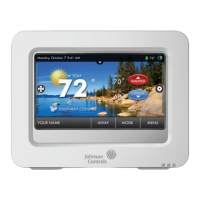
Detailed explanation of the thermostat's main display and its interactive elements.
Understanding the thermostat's dashboard for viewing temperature, humidity, and daily readings.
Guidelines on how to properly clean and maintain the thermostat's screen and body.
How to select desired temperature setpoints and operating modes (Heat, Cool, Auto).
Steps to set the current time, date, and daylight saving time on the thermostat.
Connecting the thermostat to a Wi-Fi network and setting up a Skyport account.
Setting up and viewing heating and cooling schedules for different time periods.
Configuring smart fan features, runtime, and start/stop times for optimal air circulation.
Managing thermostat security, including screen lock, passcode, and setpoint limits.
Understanding and configuring the thermostat for utility-managed demand response programs.
Step-by-step instructions for removing an old thermostat and installing the new one.
Charts and diagrams illustrating wire connections for various HVAC systems.
Guidance on diagnosing and resolving typical problems encountered with the thermostat.
Information on product warranty, technical specifications, and compliance.
 General
| Control | Touchscreen |
|---|---|
| Type | Digital |
| Power Source | 24 VAC |
| Display | LCD |
| Stages | 2 Heat / 2 Cool |








 To Next Page