30
Main Menu Buttons -
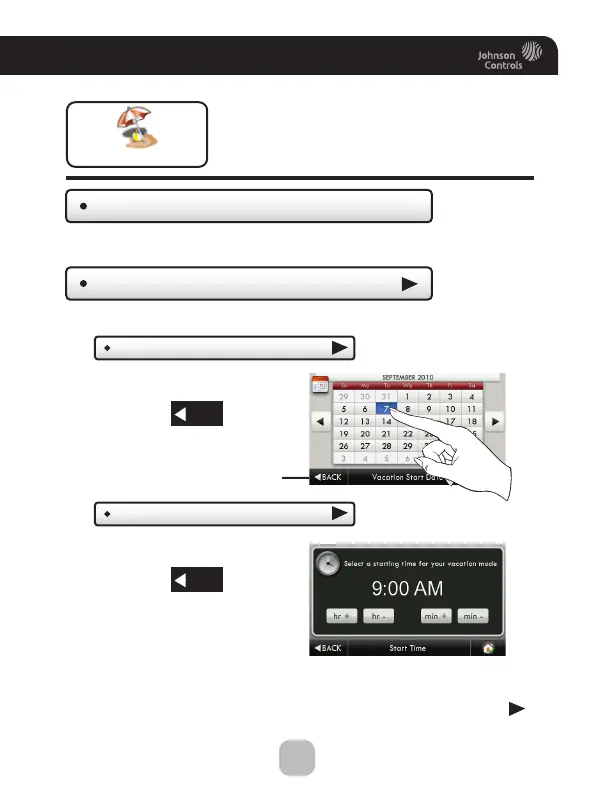
Vacation/Away
Clear Vacation Schedule
Set Vacation Schedule
Vacation or pressing the AWAY button, will use
temporary, energy saving settings without
changing the regular schedule. Pressing the
HOME button will return the thermostat to
normal comfort settings.
Vacation/Away
Removes the stored vacation schedule.
Start Date
Tu e Sep 07 2010
Start Time
(9:00 AM)
Select the day Vacation Mode
will start.
Set your Vacation Schedule.
Then press
Select the time Vacation Mode
will start.
Then press
BACK
Continued
BACK
BACK









 To Next Page