67
Main Menu Buttons - Settings
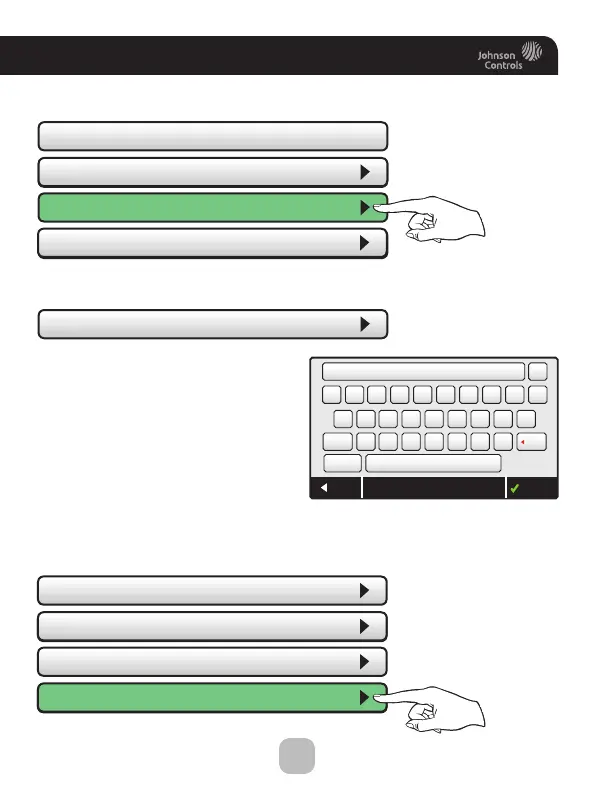
Upon pressing BACK, the screen will look like this.
Select Basic Auth User, and enter
the appropriate information
on the screen below and press
DONE to save.
• Local API - OFF
• Basic Auth User
• Basic Auth User
API Protocol (http)
API Protocol (http)
• API Protocol (https)
• Basic Auth Password
|
QWERTYUIO
(64 remaining)
ASDFGHJKL
Shift
BACK DONEBasic Auth User
123!? SPACE
ZXCV BNMDel
P
X
• Local API - OFF
• Basic Auth User
API Protocol (http)
API Protocol (http)
• API Protocol (https)
• Basic Auth Password
Select Basic Auth Password as the next step.
PRESS
PRESS









 To Next Page