2
Get To Know Your Thermostat
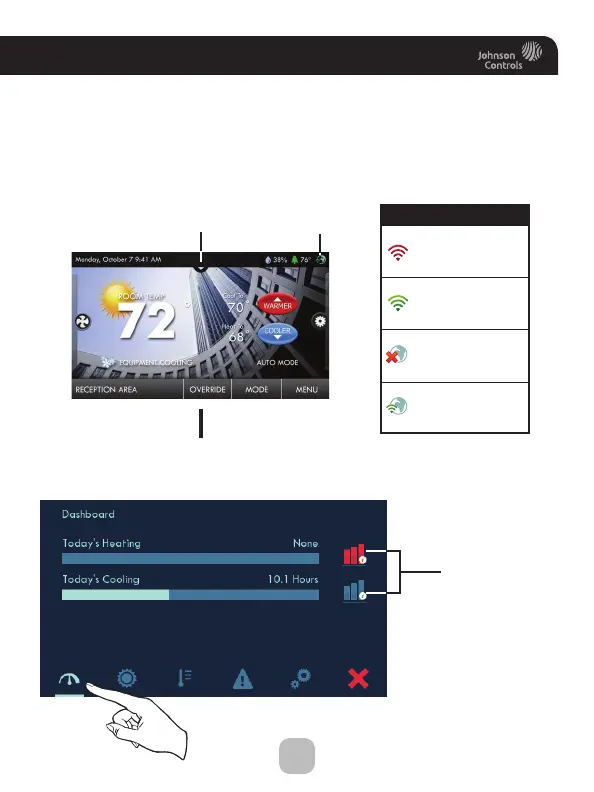
Dropdown
Dashboard
Button
Weather
Display
Humidity
Outdoor
Temp
Room
Temp
Wi-Fi
Connection
Icon
Dropdown Dashboard
(The contents of your Dashboard may vary)
Press the HOME button to
return to the Home Screen
Not connected
to Wi-Fi
Connected to local
access point w/IP
address without
Skyport enabled
Connected to local
access point w/IP
address, but not yet
connected to Skyport
Connected to Skyport
Connectivity Symbol Table
Dropdown Dashboard
The Dropdown Dashboard displays temperature, humidity, and other
readings. It will also show the high and low readings of the day.
Dropdown Dashboard
(The contents of your Dashboard may vary)
Heating and
Cooling amounts
for the day
press for
more info









 To Next Page