60
Main Menu Buttons - Settings
Installation Settings
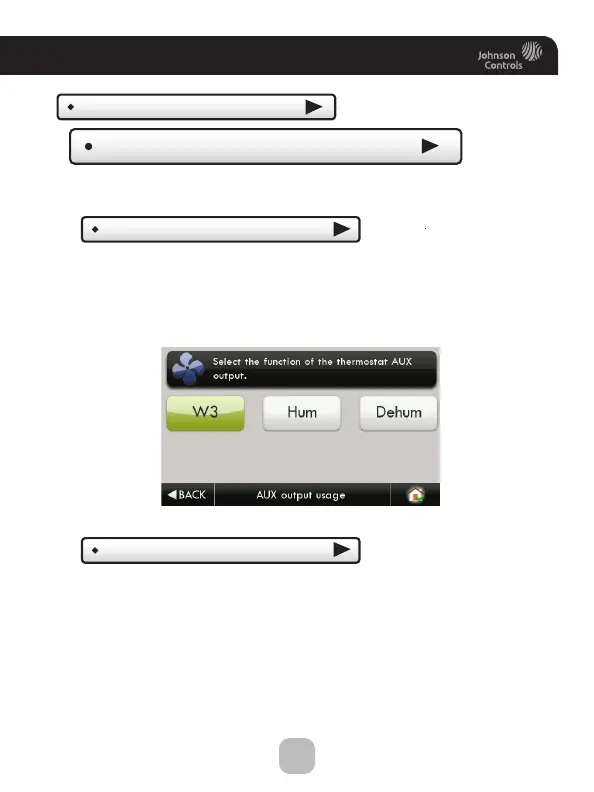
AUX Output Settings
Allows the W3/AUX output to be used for Heating,
Humidification, or Dehumidification.
(Continued)
AUX output usage
(W3)
IMPORTANT: Aux Output Usage must be set
for Hum or Dehum before any settings will take
effect in the Humidity Main Menu.
AUX output polarity
(NO)
The AUX Output polarity may be set for Normally Open or
Normally Closed to accommodate different types of humidification
and dehumidification equipment.









 To Next Page