
 Need help?
Do you have a question about the Johnson Controls T701DFN-1 and is the answer not in the manual?
FCC rules statement for commercial environments and potential interference.
Compliance with Canadian regulations for interference-causing equipment.
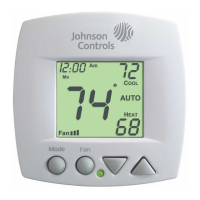
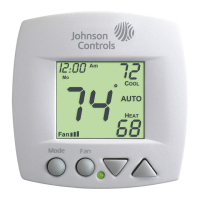
Describes the main display showing temperature and operating status.
Explains the function of Mode, Up/Down, and Fan/Override buttons.
Details the indicator light for heating (red) and cooling (green) modes.
Explains indicators for HEAT, COOL, AUTO, and OFF operational modes.
Describes how the current room and desired set temperatures are shown.
Details icons for fan operation, locked keypad, outside sensor, and unoccupied status.
How to select Heating, Cooling, Auto, or Off modes for 4-pipe systems.
How to select Heating, Cooling, or Off modes for 2-pipe systems.
Automatic heat/cool selection based on room temperature demand for 2-pipe systems.
How to adjust both heat and cool setpoints simultaneously in Auto/Program mode.
Explains continuous fan operation at different speeds and auto mode.
Configuring display blanking and single/dual setpoint display.
Selecting system type (2/4-pipe) and 2-pipe operational modes.
Adjusting temperature swing for stages and minimum heat/cool differential.
Setting cooling and heating temperatures for unoccupied periods.
A summary table of all advanced setup options, ranges, and defaults.
Procedure for calibrating the temperature sensor, recommended for technicians.
Detailed explanation of how deadbands control fan speeds across stages.
Using external devices to force unoccupied mode via dry contact.
Instructions for resetting all programming to factory default settings.
Explains the four different modes of fan operation (Auto, continuous speeds).
Configures the display to show minimal information, appearing on button press.
Managing temperature differentials and locking the keypad for security.
How to view and connect optional outside and duct sensors for enhanced readings.
Addressing potential phasing issues with multiple HVAC units and auxiliary controls.
 General
| Thermostat Type | Digital |
|---|---|
| Voltage | 24 VAC |
| Programmability | Non-programmable |
| Stages | 1 Heat / 1 Cool |
| Display | LCD |
| Mounting | Wall |
| Fan Control | Auto / On |
| Backlight | Yes |
| Communication | Wired |
| Temperature Range | 40°F to 90°F |







 To Next Page
