About Advanced Features & Operation
HEAT/COOL DIFFERENTIAL - The Heat and Cool set-
points will not be allowed to come any closer to each
other than the value set in Advanced Setup step #7, on
page 12. This minimum difference is enforced during
Auto-changeover operation.
Note: To increase the spread between the heating and
cooling setpoints in the Auto-changeover mode press
the MODE button until only the heat setpoint is display-
ed; adjust to the desired setpoint. Press the MODE
button until only the cool setpoint is displayed; adjust to
the desired setpoint. Press the MODE button again to
enter the Auto-changeover mode where both the heat
and cool setpoints are displayed.
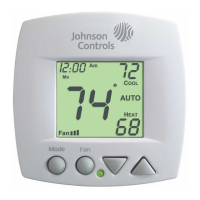
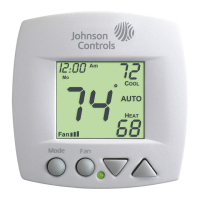
KEYPAD LOCKOUT - To prevent unauthorized use of
the thermostat, the front panel buttons may be disabled.
To disable, or ‘lock’ the keypad, press and hold the
MODE button. While holding the MODE button, press
the UP and DOWN buttons together. The LOCKED icon
will appear on the display, then release the buttons.
To unlock the keypad, press and hold the MODE button.
While holding the MODE button, press the UP and
DOWN buttons together. The LOCKED icon will disapp-
ear from the display, then release the buttons.
Press all three
buttons in the order
outlined above for
keypad lockout
MODE
Page 21
70
76
68
COOL
HEAT
AUTO
Locked








 To Next Page
