About Advanced Features & Operation
FAN OPERATION - Fan operation is available in four
different modes:
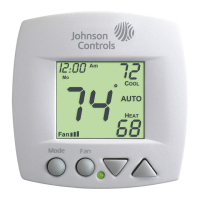
Fan: When only the fan icon is displayed, this
indicates that the fan is in the Auto mode, will only
energize during a heating or cooling cycle, and will
modulate fan speeds based on temperature demand
(see page 17).
Page 20
Fan , Fan , or Fan : Pressing the FAN button
will cause the low, medium, or high speed fan icon to
appear (see page 9), indicating that the fan will run
continuously. The fan will de-energize if the thermo-
stat is placed in the Off mode or a dry contact forced
unoccupied time period (see page 18).
1) If a Duct sensor is connected to this thermostat,
then the fan should be programmed for continuous
operation (step #5, page 11). This will provide airflow
over the Duct sensor and provide more accurate
temperature readings.
2) If the fan is programmed for continuous operation
(step #5, page 11), the low speed fan will run contin-
uously when the fan is in the Auto mode, but will
de-energize if the thermostat i s placed
in the Off mode.
Notes:
MINIMAL DISPLAY - When the thermostat is prog-
rammed for a minimal display (step #1, page 10), a
blank screen will appear. When a button is pressed
the full, normal display will appear for 10 seconds.









 To Next Page
