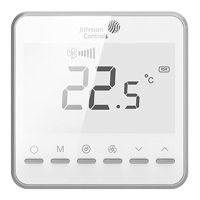
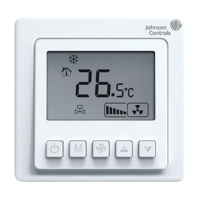
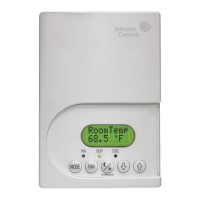
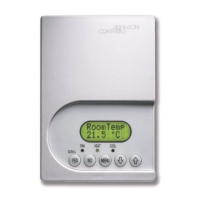
Instructions
· On/Off :
To turn the thermostat on, press the " " key briefly; and to turn it off, press " " once again. After startup, the thermostat runs based on
the settings before the last shutdown.
· Temperature setting:
When the thermostat is in the power-on state, press the " " key to decrease the set temperature; and press the " " key to increase
the set temperature. The set temperature changes by 0.5°C/1°F each time.
Press the " " or " " key briefly, or wait for 3 seconds without any operation to save the settings.
· Mode selection:
When the thermostat is in the power-on state, press the " " key to switch the working mode. The LCD screen displays " " for cooling,
" " for heating, " " for ventilation, and " " for AUTO (only for the four-pipe system).
Press the " ", " " or " " key briefly, or wait for 3 seconds without any operation to save the settings.
Users can also configure the desired mode in the parameter settings according to their needs.
· Fan speed selection:
When the thermostat is in the power-on state, press the " " key to set the air velocity of the fan to " (low)", " (medium)", " (high)"
or " (AUTO)". In automatic mode, the thermostat will automatically run at the optimal air velocity according to the room temperature
and the set temperature value. Press the " ", " " or " " key briefly, or wait for 3 seconds without any operation to save the settings.
Users can also configure the required fan speed in the parameter settings according to their needs.
Note: Automatic fan is unavailable in ventilation mode.
· Key lock function:
The corresponding keys can be locked/unlocked by modifying the E2, E3, E4 and E5 parameters. If the keys are locked by modifying the
parameters, the corresponding keys can be locked by simultaneously holding down the " " and " " keys for 2 seconds on the non-
parameter setting interface. Other personnel are prohibited from operating the thermostat. To unlock the keys, simultaneously hold down
the " " and " " keys for 2 seconds once again.
· Health function: (The health function is unavailable in the factory settings by default. This function is only used when
the corresponding application is selected and the thermostat is configured with a health module of ESP or TiO2.)
When the parameter P1 is set to 00
0
and the thermostat is in the power-on state, hold down the " " key for 3 seconds to enter the
function setting interface, where the health icon " " flickers and the temperature area displays "On/Off". Then press the " " or "
" key to enable/disable the health function. When the function is on, the icon " " lights up. Press the " " or " " key, or wait for 3
seconds without any operation to save the settings.
When the parameter P2 is set to 00
1
, the health module will automatically start and stop with the fan.
· Automatic ON/OFF setting:
Automatic ON setting: When the thermostat is in the power-off state, hold down the " " key for 3 seconds to enter the automatic on
setting menu. The clock icon " " and the icon "ON" are displayed, and the numerical value is flickering. Press the " " or " " key to
adjust the setting time of automatic on. After the setting is completed, it will be saved if no operation is performed for 6 seconds.
Automatic OFF setting: When the thermostat is in the power-on state, hold down the " " key for 3 seconds to enter the automatic off
setting menu. The clock icon " " and the icon "OFF" are displayed, and the numerical value is flickering. Press the " " or " " key to
adjust the setting time of automatic off. After the setting is completed, it will be saved if no operation is performed for 6 seconds.
Cancel automatic ON/OFF time setting: Enter the menu interface of time setting, and adjust the time values of automatic on and off to 00
to cancel the automatic on/off function.
Note: The time setting of automatic on and off is only valid for one day.
After the automatic OFF function is set, if you manually turn the thermostat off before its set time, the automatic off function will be cancelled.
After the automatic ON function is set, if you manually turn the thermostat on before its set time, the automatic on function will be cancelled.
· Low temperature protection function:
When the thermostat is turned off and the indoor temperature is lower than the set value of low temperature protection, the thermostat
automatically starts heating, displays the icon " " of low temperature protection and opens the water valve, and the fan runs at a
high speed; when the indoor temperature is 2°C higher than the set temperature for low temperature protection, the thermostat will
automatically turn off the output.
· Standby and screen-off functions:
When no operation is performed by pressing keys, enter the standby interface after reaching the screen-off time. In this case, the
backlight will go off. Then press any key to exit the standby interface, and the backlight will light up.
Note: The key for turning on the backlight will not trigger the functional response. The backlight turn-on time and brightness can be set in
the parameter items.
FAN-8941(1123)
T7000e English


 To Next Page
 Loading...