33
Main Menu Buttons - Settings
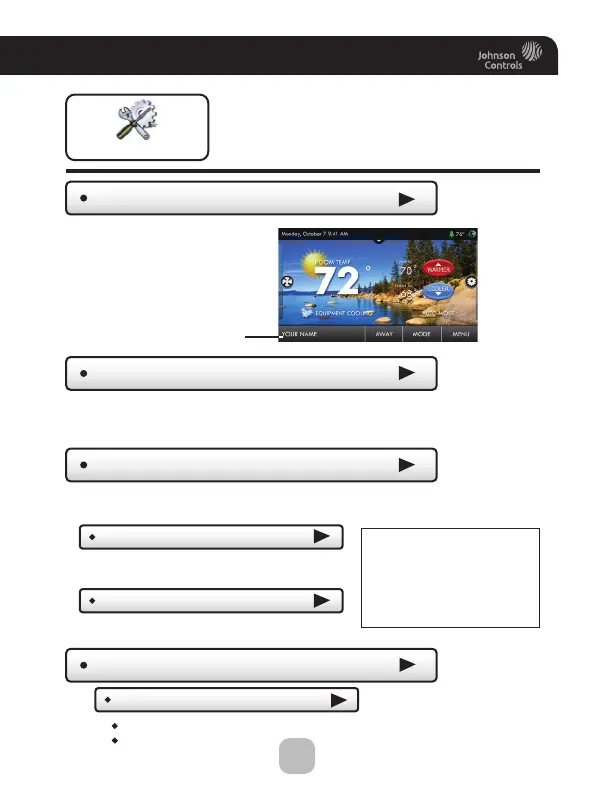
Thermostat Name
Settings
Available Modes
(all)
Choose the desired modes the thermostat will use: Heat, Cool, Heat & Cool,
or Auto (All). For example, if you only have a heater, choose Heat, and only
Heat & Off modes will be available. This will simplify the operation for the user.
Use keypad to name
your thermostat. The
name is displayed on
the Home Screen.
Thermostat heating and
cooling options are found
in this menu
Name appears here
General Setup
Units
(F)
Fahrenheit (F)
Celsius (C)
SD Card
Import and export files to and from the thermostat. See the
ColorDisplay Assistant instructions for further details.
Import Settings from SD Card
Export Settings to SD Card
*NOTE: A 2GB SD card is
recommended. To import
and export files, the SD card
must contain the same
version of the firmware as
the thermostat.
Upload files from ColorDisplay Assistant
or another thermostat.
Export files from one thermostat and import
them into others.
(Up to 14 characters)






 To Next Page