602Q-B01A-NB-Issue Date 12 2013
1
T8200-TB20-9JS0/9JR0、T8200-TF20-9JS0/9JR0、T8200-TB21-9JS0/R0 Series Touch Screen Fan Coil Thermostat - Installation Instructions
T8200-TB20-9JS0/9JR0、T8200-TF20-9JS0/9JR0、T8200-TB21-9JS0/R0系列触摸屏风机盘管温控器 - 安装说明
1 2 3 4 5
Application
The T8000 Series Touch Screen Fan Coil Thermostats control the fan coil with local
temperature to get comfortable environment. Select the temperature scales and
setpoints, the modes, and the different values to control the Heating, Ventilating, and
Air Conditioning (HVAC) system, maintain the desired room temperature. The optional
Occupied/Unoccupied feature saves energy.
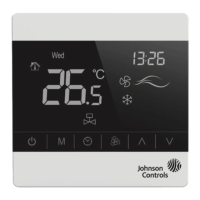
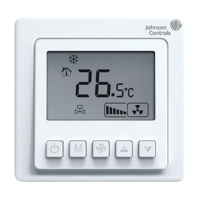
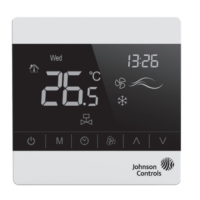
T8000 featur
es with microcomputer control, large LCD screen display, and displays
the status of work mode (cooling/heating/vent), fan speed, indoor temperature and
set temperature etc.. Capacitance touch screen enhances the fluency on operation.
Keypad includes: Power on/off (
), Mode selection (
M
), Fan Speed selection (
),
Clock/Timer (
) and two Adjustment buttons (
∧
&
∨
).
图
3
:
T8200-TF20-9JS0/9JR0、T8200-TB21-9JS/R0系列温控器尺寸(mm)
Figure
3
:
T8200-TF20-9JS0/9JR0、T8200-TB21-9JS/R0 Series Thermostat Dimensions (mm)
图
2
:
T8200-TB20-9JS0/9JR0系列温控器尺寸(mm)
Figure
2
:
T8200-TB20-9JS0/9JR0 Series Thermostat Dimensions (mm)
安装
T8000温控器安装在用户容易观看屏幕和调节温度设定点的地方。并使温控器
位于能代表房间总体环境温度的地方。避免将温控器安装于冷热源附近,如通
风口、加热器、室外或阳光照射到的地方。
安装
T8000系列温控器设计为标准75x75x 5mm墙装接线盒安装。 (见
图4
)
按照指示打开后盖底座,把它安装在墙上并接线。
注意
:
所有T8000系列温控器型号,需要两枚Mx5安装螺钉 (盒中自带,如遗
失,需采用PWT2.5X5X5.5螺钉)
Installation
Install the T8000 where the occupant can read the display and adjust the setpoint
easily. Situate the thermostat where the temperature is representative of the general
room conditions. Avoid installing the T8000 near cold or warm air drafts, radiant heat,
on an outside wall, or in direct sunlight.
Mounting
Mount the T8000 Series thermostat to a 75x75x 5mm standard electrical wallbox. (See
Figure
3
)
Follow the instructions in removing the base and then proceed to the wall box
Mounting and the Wiring sections.
Note:
All T8000 Series models require two No. Mx5 mounting screws (Included in the
box, screw PWT .5X5X5.5 is required if missing).
应用
T8000触摸屏风机盘管温控器使用现场温度来控制风机盘管的启停,使用户得
到舒适的环境。通过选择及设定温度类型、设定点、运行模式和所需参数,来
控制加热、通风和空调(HVAC)系统,从而维持环境的理想温度。增加有人/无
人模式,从而达到节约能源。
T8000采用微电脑控制技术,大屏幕液晶显示,液晶显示状态有:工作状态
(制冷、制热、通风)、风机风速、室内温度、设置温度等。采用容式触摸技
术,使操作更加方便,按键有:电源开关(
)、模式转换键(
M
)、风速选择
键 (
)、时钟及定时按键( )和温度设置键(
∧
和
∨
)。
602Q-B01A-NB-Issue Date 12 2013
This document is subject to change without notice 本文档如有变化,恕不另行通知
图
1
:
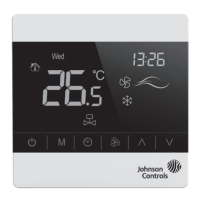
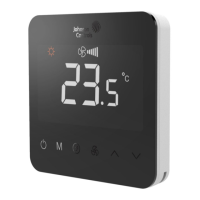
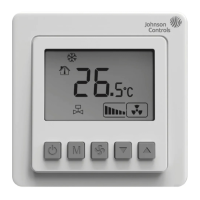
T8000系列触摸屏风机盘管温控器
Figure
1
:
T8000 Series Touch Screen Fan Coil Thermostat
图
4
:
安装说明图
Figure
4
:
Installation diagram
注意:
给T8000系列温控器接线时,使用接线螺帽完成和绝缘每个接线
端。根据接线
图5
-
10
接线
Note:
When wiring the T8000 Series Thermostat, use wire nuts to finish and isolate
each connection, wire according to Figure
5
-
10
.
* Remove the insulating strip before installation 请安装前移除绝缘片


 To Next Page
 General