EasyManua.ls Logo

Johnson Controls TEC3322-1 Series - User Manual

Johnson Controls TEC3322-1 Series
50 pages
Print Icon
To Next Page IconTo Next Page
Loading...
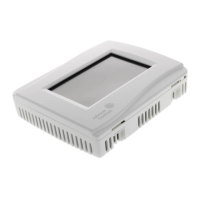
TEC3000 Series Networked and Wireless Proportional Fan Coil and
Individual Zone Thermostat Controllers with Dehumidification Capability
Installation
Guide
1
Refer to the QuickLIT website for the most up-to-date version of this document.
Applications
The networked TEC3000 Series Thermostat Controllers are stand-alone and field-selectable BACnet® MS/TP or
N2 networked devices. Wireless networked models of the TEC3000 Series Thermostat Controller are also
available. Proportional Fan Coil and Individual Zone Thermostat Controllers provide control of the following:
Local hydronic reheat valves
Pressure-dependent variable air volume (VAV) equipment with or without local reheat
Two- or four-pipe fan coils
Cabinet unit heaters
Other individual zone equipment using an on/off or floating control input
The networked models feature a field-selectable Building Automation System (BAS) BACnet MS/TP or N2
communication capability that enables remote monitoring and programming for efficient space temperature control.
The wireless models are compatible with the WNC1800/ZFR182x Pro Series Wireless Field Bus System that
enables communication with a building automation system (BAS). All models include a USB port configuration that
reduces installation time by allowing simple backup and restore features from a USB drive, which enables rapid
cloning of configuration between like units.
Some models have occupancy sensing capability built into the device. These thermostat controllers maximize up to
30% energy savings in high-energy usage commercial buildings, such as schools and hotels, during occupied
times by using additional standby setpoints.
All models feature an intuitive onboard touchscreen UI with backlit display that makes setup and operation quick
and easy. For Single-or Two-Stage Economizer Thermostat Controller models, only the single-speed fan
configuration is supported. For TEC3x1x and TEC3x2x models, multiple fan configurations are supported for fan
coil equipment types, as follows:
Single-speed
Multi-speed (two or three discrete speeds)
Variable-speed/EC motors (0 to 10 VDC control)
Some models support dehumidification on two-pipe fan coil units with reheat, and four-pipe fan coil units with or
without reheat. When no heating is required, the thermostat controller monitors space humidity and activates
dehumidification control as necessary. Heat and/or reheat is used as required to maintain the space temperature.
For optimal dehumidification performance, use a fan coil unit that has a multi-speed or variable-speed fan (VSF).
TEC3000 Series Networked and Wireless Proportional Fan
Coil and Individual Zone Thermostat Controllers with
Dehumidification Capability
Installation Guide
TEC3322-1x-xxx, TEC3323-1x-xxx, TEC3622-1x-xxx, TEC3623-1x-xxx, TEC3022-1x-xxx, TEC3023-1x-xxx
LIT-12013162
Issued May 2019


Questions and Answers

  • J
    James JonesSep 14, 2025
    How do I fix a Fan Lock error on my Johnson Controls TEC3322-1?
    • E
      Elizabeth NelsonSep 14, 2025
      If you're getting a 'Fan Lock' error on your Johnson Controls Controller, it means the switch connected to the BI configured for Fan Lock didn't sense airflow within 10 seconds of starting the fan, and control has been shut down. Here’s how to address it: 1. Check the equipment to ensure the fan is working correctly. 2. Use an ohmmeter to check the sensor's functionality and verify the wiring to the TEC. 3. Reset the fault by going to the menu, selecting 'Fault Status,' and then selecting 'Fan Lock'. 4. If the problem persists, order replacement units and return the affected devices to Johnson Controls under the RMA program.
  • C
    Cody MartinAug 30, 2025
    Why does my Johnson Controls Thermostat display Partial Restore Complete?
    • S
      Samuel ThompsonAug 30, 2025
      If your thermostat displays 'Partial Restore Complete' when restoring from a backup, it means not all items in the backup file were restored. This can happen if a value is outside the acceptable range or if there are inconsistencies in a setting's reliability. To resolve: 1. Create a Backup file on a USB drive for the TEC that is showing the issue. 2. Edit the backup file created in the previous step on a PC to reflect the desired settings. 3. Verify that the modified values are within minimum and maximum range in the backup file. 4. Restore the settings from the newly edited backup file on the TEC.
  • J
    john12Aug 27, 2025
    What causes Fan Lock on Johnson Controls Thermostat and how to resolve it?
    • D
      David DickersonAug 27, 2025
      If your Johnson Controls Thermostat displays 'Fan Lock', the switch connected to the BI configured for Fan Lock didn't sense airflow within 10 seconds of starting the fan, and control has been shut down. To resolve this: 1. Inspect equipment to ensure fan functions. 2. Check sensor functionality with an ohmmeter, and verify wiring to the TEC. 3. Reset fault by entering the menu, selecting Fault Status, and selecting the Fan Lock. 4. Order replacement units and return the affected devices to Johnson Controls under the RMA program.
  • T
    Tyler Adams DDSSep 18, 2025
    Why is Heating Ineffective on my Johnson Controls TEC3322-1 Controller?
    • A
      Angela MaySep 18, 2025
      If your Johnson Controls Controller indicates 'Heating Ineffective,' it means the supply air temperature hasn't increased above the configured Supply Air Temperature Alarm Offset, even though heating has been active for at least the Supply Air Temperature Alarm Delay. To resolve this, verify that the heating elements on the rooftop are functioning properly.
  • J
    Jeffrey NelsonSep 16, 2025
    What should I do if my Johnson Controls TEC3322-1 Controller displays Internal Sensor Fail?
    • J
      Jeffery NguyenSep 16, 2025
      If your Johnson Controls Controller displays 'Internal Sensor Fail', it means an internal sensor has failed. The suggested solution is to order replacement units and return the affected devices to Johnson Controls under the RMA program.
  • M
    Mary GarciaSep 1, 2025
    What to do if Johnson Controls Thermostat displays Controller Fault?
    • J
      jamesdoughertySep 1, 2025
      If your controller displays 'Controller Fault', it means an internal fault was detected and the controller was unable to recover. Order replacement units and return the affected devices to Johnson Controls under the RMA program.
  • R
    Richard MartinezSep 3, 2025
    What to do if the Johnson Controls Fan shows 'Remote Zone Temp Fail'?
    • Y
      ymooreSep 3, 2025
      If the Johnson Controls Fan displays a 'Remote Zone Temp Fail' message, it means the external zone temperature sensor is either disconnected or has failed. First, check the sensor's wiring. If the sensor was intentionally disconnected, reset the sensors through the menu. If the problem continues, you should order replacement units and return the faulty devices to Johnson Controls under the RMA program.
  • T
    Timothy CurrySep 7, 2025
    Why does my Johnson Controls Fan controller display 'Idle' with a 'Heating Unavailable' status due to Control Mode?
    • B
      Brandon MartinezSep 7, 2025
      If your Johnson Controls Fan controller displays 'Idle' with a 'Heating Unavailable' status because of the control mode, it means the control mode is set to Cooling Mode, but the controller is requesting heating. Change the control mode to Auto or Heating.
  • C
    Christopher RandolphSep 12, 2025
    Why are some icons hidden on my Johnson Controls Fan display?
    • C
      Chase NewtonSep 12, 2025
      If some icons are hidden on your Johnson Controls Fan display, it's likely due to lockout levels or display settings. See Table 6 for details on lockout levels and access.
  • K
    Kelly BakerAug 25, 2025
    Why does my Johnson Controls Thermostat TEC3x3x show Outdoor Temp Fail?
    • D
      Dr. Bryan WoodAug 25, 2025
      The 'Outdoor Temp Fail' message on your TEC3x3x Thermostat means the external outdoor air temperature sensor is either disconnected or has failed. Try these steps: 1. Check the sensor wiring. 2. If you intentionally disconnected the sensor, reset the sensors through the menu. 3. If the problem continues, order replacement units and return the affected devices to Johnson Controls under the RMA program.

Johnson Controls TEC3322-1 Series Specifications

General IconGeneral
Product SeriesTEC3322-1 Series
ManufacturerJohnson Controls
CategoryController
DisplayLCD
Enclosure RatingIP30
TypeElectronic Thermostat
Input Voltage24 VAC
Temperature Range32 to 122 °F
Control ModeOn/Off
MountingWall

Related product manuals