EasyManua.ls Logo

Johnson Controls TEC3322-1 Series - User Manual

Johnson Controls TEC3322-1 Series
50 pages
Print Icon
To Next Page IconTo Next Page
Loading...
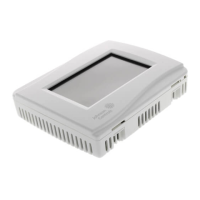
TEC3000 Series Networked and Wireless Proportional Fan Coil and
Individual Zone Thermostat Controllers with Dehumidification Capability
Installation
Guide
1
Refer to the QuickLIT website for the most up-to-date version of this document.
Applications
The networked TEC3000 Series Thermostat Controllers are stand-alone and field-selectable BACnet® MS/TP or
N2 networked devices. Wireless networked models of the TEC3000 Series Thermostat Controller are also
available. Proportional Fan Coil and Individual Zone Thermostat Controllers provide control of the following:
• Local hydronic reheat valves
• Pressure-dependent variable air volume (VAV) equipment with or without local reheat
• Two- or four-pipe fan coils
• Cabinet unit heaters
• Other individual zone equipment using an on/off or floating control input
The networked models feature a field-selectable Building Automation System (BAS) BACnet MS/TP or N2
communication capability that enables remote monitoring and programming for efficient space temperature control.
The wireless models are compatible with the WNC1800/ZFR182x Pro Series Wireless Field Bus System that
enables communication with a building automation system (BAS). All models include a USB port configuration that
reduces installation time by allowing simple backup and restore features from a USB drive, which enables rapid
cloning of configuration between like units.
Some models have occupancy sensing capability built into the device. These thermostat controllers maximize up to
30% energy savings in high-energy usage commercial buildings, such as schools and hotels, during occupied
times by using additional standby setpoints.
All models feature an intuitive onboard touchscreen UI with backlit display that makes setup and operation quick
and easy. For Single-or Two-Stage Economizer Thermostat Controller models, only the single-speed fan
configuration is supported. For TEC3x1x and TEC3x2x models, multiple fan configurations are supported for fan
coil equipment types, as follows:
• Single-speed
• Multi-speed (two or three discrete speeds)
• Variable-speed/EC motors (0 to 10 VDC control)
Some models support dehumidification on two-pipe fan coil units with reheat, and four-pipe fan coil units with or
without reheat. When no heating is required, the thermostat controller monitors space humidity and activates
dehumidification control as necessary. Heat and/or reheat is used as required to maintain the space temperature.
For optimal dehumidification performance, use a fan coil unit that has a multi-speed or variable-speed fan (VSF).
TEC3000 Series Networked and Wireless Proportional Fan
Coil and Individual Zone Thermostat Controllers with
Dehumidification Capability
Installation Guide
TEC3322-1x-xxx, TEC3323-1x-xxx, TEC3622-1x-xxx, TEC3623-1x-xxx, TEC3022-1x-xxx, TEC3023-1x-xxx
LIT-12013162
Issued May 2019


Questions and Answers

  • Z
    zpayneSep 13, 2025
    How to fix Outdoor Temp Fail on Johnson Controls TEC3322-1 Controller?
    • A
      Arthur MarshSep 13, 2025
      If you are experiencing an Outdoor Temp Fail error with your Johnson Controls Controller, it means the external outdoor air temperature sensor is either disconnected or has failed. Here's what you can do: 1. Check the sensor's wiring. 2. If the sensor was intentionally disconnected, reset the sensors through the menu. 3. If the issue continues, you should order replacement units and return the faulty devices to Johnson Controls under the RMA program.
  • B
    Brenda HernandezSep 9, 2025
    Why does the Johnson Controls Fan controller show an error when trying to upgrade the firmware?
    • K
      Kristina PatrickSep 9, 2025
      If the Johnson Controls Fan controller shows an error when trying to upgrade the firmware, it means the firmware on the USB drive is below the minimum required version (Error code 1025). Use firmware version 3.0.2.xxxx (for networked models) or 2.0.2.xxxx (for wireless models) or higher. A reboot is required to clear the Firmware Mismatch fault that occurs.
  • M
    monicasimonSep 7, 2025
    What to do if my Johnson Controls Fan has an internal sensor failure?
    • J
      jesse63Sep 7, 2025
      If your Johnson Controls Fan reports an internal sensor failure, order replacement units and return the affected devices to Johnson Controls under the RMA program.
  • N
    Nicole SmithAug 28, 2025
    What to do if Johnson Controls Thermostat shows Supply Fan Fault?
    • J
      Jeffrey LoganAug 28, 2025
      If your Johnson Controls Thermostat displays 'Supply Fan Fault', it means the Supply Fan Status configured for either BI1 or BI2 has not proved within the configured Fan Alarm Delay. To resolve this: 1. Verify that the Supply Fan is operating when turned on. 2. Verify that the Supply Fan Status wiring is connected correctly.
  • K
    Kevin MendezAug 28, 2025
    What causes Supply Fan Runtime Limit Extended on Johnson Controls Thermostat?
    • R
      Rodney FullerAug 28, 2025
      If your Johnson Controls Thermostat displays 'Supply Fan Runtime Limit Extended,' it means the Supply Fan Runtime has exceeded the configured Supply Fan Runtime Limit. To address this: 1. Service the Supply Fan. 2. Reset the Supply Fan runtime.
  • B
    Benjamin GarzaAug 28, 2025
    Why is Heating Ineffective on my Johnson Controls Thermostat?
    • M
      Ms. Yvette Harrison MDAug 28, 2025
      If your Johnson Controls Thermostat displays 'Heating Ineffective', it means the Supply Air Temperature hasn't increased above the configured Supply Air Temperature Alarm Offset while heating has been active for at least the Supply Air Temperature Alarm Delay. Verify that the heating elements on the rooftop are functioning properly.
  • M
    Michelle WashingtonSep 23, 2025
    What does the Bell icon on my Johnson Controls TEC home page mean?
    • A
      Alejandro JohnsonSep 23, 2025
      If the Bell icon is displayed on the TEC home page, it means a fault has been detected on the TEC. See Table 12 for TEC fault causes and resolution.
  • J
    Jeffrey NelsonSep 16, 2025
    What should I do if my Johnson Controls TEC3322-1 Controller displays Internal Sensor Fail?
    • J
      Jeffery NguyenSep 16, 2025
      If your Johnson Controls Controller displays 'Internal Sensor Fail', it means an internal sensor has failed. The suggested solution is to order replacement units and return the affected devices to Johnson Controls under the RMA program.
  • M
    marie73Sep 19, 2025
    What should I do if my Johnson Controls TEC3322-1 Controller displays Zone Temp Unreliable?
    • T
      Terrance HoffmanSep 22, 2025
      If your Johnson Controls Controller displays 'Zone Temp Unreliable,' it means all sources of zone temperature, including the onboard sensor, are unreliable. The suggested solution is to order replacement units and return the affected devices to Johnson Controls under the RMA program.
  • J
    jesuswardSep 8, 2025
    What does it mean when my Johnson Controls Fan indicates 'Dirty Filter'?
    • E
      Elizabeth RogersSep 9, 2025
      If your Johnson Controls Fan indicates 'Dirty Filter', it means equipment connected to the BI configured for a Dirty Filter alarm is triggering the alarm. Replace the filter in the equipment as explained in the manufacturer's instructions.

Johnson Controls TEC3322-1 Series Specifications

General IconGeneral
Product SeriesTEC3322-1 Series
ManufacturerJohnson Controls
CategoryController
DisplayLCD
Enclosure RatingIP30
TypeElectronic Thermostat
Input Voltage24 VAC
Temperature Range32 to 122 °F
Control ModeOn/Off
MountingWall

Related product manuals