Chapter - Johnston Visual Module
Page Issue 01
OG
5:8
V Range 501 ● 651 ● 801 - Operator’s Guide
F1
F2
F3
F4
F4
H
4.0
09:45
23.03.2013
F1
F2
F3
F4
F4
09:45
23.03.2013
4.10.0
ActivatingSoftKeyF3:OpensMainMenu4.00
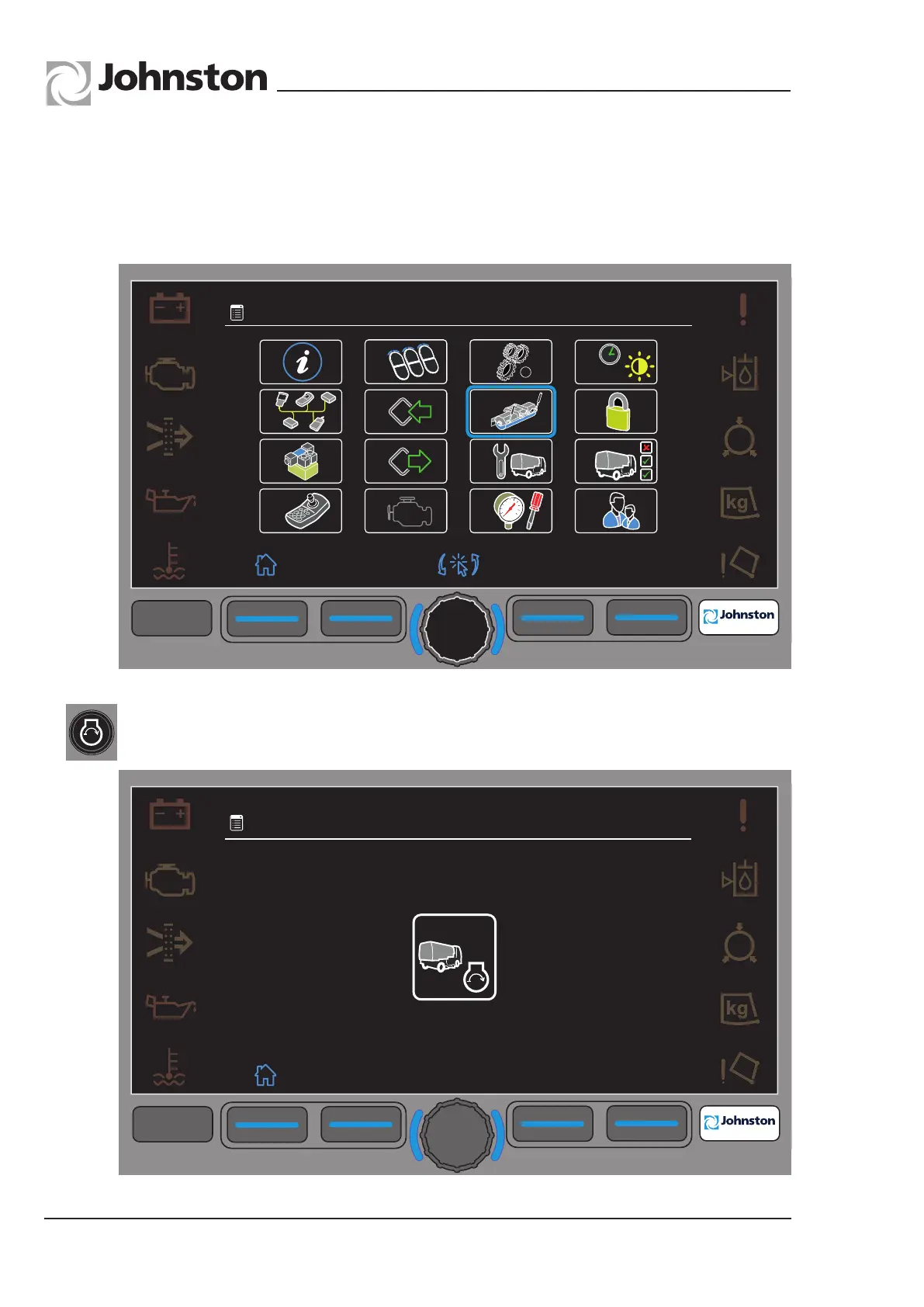
• Rotate the central encoder to highlight menu 10, Wide Sweep Brush Balance.
• Press the encoder to select.
Menu 4.10.0
If not running, the Auxiliary engine needs to be turned on before the next screen is shown.
Menu Navigation - An example of the JVM functionality to set the Wide Sweep Brush Balance.
All Copyright and rights are the property of Johnston Sweepers Ltd



 To Next Page