This document describes the EVCD2 Series (EU) Electric Vehicle AC Charger, a device designed for charging electric vehicles. The manual provides comprehensive instructions for installation, operation, and maintenance, emphasizing safety and proper usage.
Function Description
The EVCD2 Series charger is an Electric Vehicle AC Charger designed to provide power to electric vehicles. It supports both single-phase and three-phase power inputs and offers two charging sockets (AC1 and AC2) for simultaneous charging. The device incorporates load balancing functionality, which can be configured via an optional CT-BOX and an associated mobile application, allowing users to manage power consumption and prevent circuit breaker trips. The charger features visual indicators (light codes) to communicate its operational status, including connection status, charging progress, and fault conditions. It supports both "Plug and Charge" and RFID-based charging methods, offering flexibility in how users initiate and manage charging sessions.
Important Technical Specifications
The EVCD2 charger comes with a range of technical specifications that define its performance and capabilities:
Model Number: EVCD2
Rated Input Voltage:
- Single Phase: 230VAC ± 10%
- Three Phase: 400VAC ± 10%
Rated Input Current: 32A/64A
AC Power Frequency: 50/60 Hz
Rated Output Power:
- Single Phase: 7kW*2
- Three Phase: 11kW2 / 22kW2
Rated Output Current:
- Single Phase: 32A*2
- Three Phase: 16A2 / 32A2
Input Protection: UVP (Under Voltage Protection), OVP (Over Voltage Protection), OTP (Over Temperature Protection), RCD (Residual Current Device), SPD (Surge Protection Device), Ground Fault Protection
Output Protection: OCP (Over Current Protection), Control Pilot Fault Protection
Output Interface: IEC62196-2 Socket
Environmental Conditions:
- Storage Temperature: -40°C to +85°C
- Operation Temperature: -30°C to +50°C
- Relative Storage Humidity: ≤95%
- Relative Operation Humidity: ≤95%
Connectivity:
- Connection Method: WIFI/LAN
- Network Transmission Rate: 10M / 100M Base-T
- Wireless Transmission Protocol: 802.11 b/g/n
Physical Characteristics:
- Protection Level: IK08 IP54 (indicating resistance to mechanical impact and ingress of dust and water)
- Altitude: 2000m
- Dimensions: Enclosure dimensions are approximately 280mm (width) x 380mm (height) x 58mm (depth). The wall-mounted bracket is 136mm wide and 161.7mm high, with 4-Ø9mm screw holes.
Circuit Breaker Options Table:
- Single Phase:
- Output Amperage (A): 32A
- Circuit Breaker Options (A): 40A
- Three Phase:
- Output Amperage (A): 32A, 64A
- Circuit Breaker Options (A): 40A, 80A
Dial Switch Setup Instructions: The maximum output current can be adjusted via a dial switch.
Usage Features
The EVCD2 charger offers several features to enhance its usability and safety:
Installation Requirements:
- Requires disconnection of electrical power before installation.
- Installation must be performed by a qualified technician in accordance with the user manual and local safety regulations.
- Local building and electrical codes must be reviewed.
- Appropriate protection (Type B, C, or D breaker with the correct rating) should be installed in the upstream AC distribution box.
- Not recommended for installation in coastal environments with high humidity or high dust.
Wiring the Circuit:
- The device must be properly grounded to prevent electric shock.
- Detailed instructions are provided for connecting to single-phase and three-phase grids, including L1, L2, L3, N, and PE leads.
Load Balancing (CT-BOX Optional):
- An optional CT-BOX can be connected to the charger to enable load balancing.
- The CT-BOX signal wire connects to the charger's load balancing socket and to the CT-BOX terminals (RS485 A+, RS485 B-, GND).
- Circuit diagrams are provided for both single-phase and three-phase CT-BOX connections with an electricity meter and distribution box.
- The maximum power for load balancing can be set via a mobile application (S-Charge) to prevent frequent tripping of the main circuit breaker. It is recommended to set this value slightly lower than the maximum power supply of the main circuit breaker.
Operating Steps:
- Plug and Charge:
- Standby Mode: After power-on, all lights (blue for READY, green for CHARGE, red for FAULT) illuminate briefly, then the blue light (READY) remains constantly on.
- Plug the Charging Connector: Open the socket cover, plug the charging connector into the IEC 62196-2 socket, and then plug the other end into the electric vehicle.
- Charging: The green light (CHARGE) flashes automatically, indicating charging is in progress.
- Charging Finished: The green light (CHARGE) remains constantly on when charging is complete.
- Disconnect: Remove the car connector first, then the charger connector.
- RFID (Optional):
- Standby Mode: Similar to Plug and Charge, the blue light (READY) is constantly on.
- Ready to Charge: Plug the charging connector into the vehicle's charging inlet. When the green light (CHARGE) is constantly on, swipe the RFID card.
- Swipe the RFID Card: Swipe the RFID card within 120 seconds of plugging in the connector to initiate charging. If the time limit is exceeded, swipe again.
- Charging: The green light (CHARGE) flashes automatically. If the red light (FAULT) is on, re-plug the connector. If the fault persists, refer to the "Error and Warning Messages" section.
- Charging Finished: When charging is finished or the RFID card is swiped again, the green light (CHARGE) remains constantly on. Press the button on the connector and pull it out.
Smart APP Guide (Optional):
- Users can download the "S-Charge" app from the App Store or Google Play.
- The app provides "Operational Guidance" in the "More" section for additional features and settings.
Light Codes (Signal Indicator):
- Not connected: Solid blue light.
- Internet Connecting: Blue blinking light.
- Internet Connected: Slow blink in green light.
- Connecting to S-charge: Quick blink in green light.
- Connected with S-charge: Solid green light.
- Connection failed: Solid red light.
Light Codes (Status Indicator):
- Standby: Solid blue light.
- Waiting to charge: Solid green light.
- Charging in progress: Green blinking light.
- Charging finished: Solid green light.
- Fault: Solid red light.
Fault and Warning Messages: The manual details various fault conditions indicated by the red light, including:
- Electronic lock fault: Solid Red (Reboot Recover).
- Voltmeter fault: 1 flash followed by 3 sec pauses (Auto Recover).
- Control pilot fault: 2 flashes followed by 3 sec pauses (Pull out the charging connector for Auto Recover).
- Input UVP/OVP: 3/4 flashes followed by 3 sec pauses (Auto Recover).
- OTP: 5 flashes followed by 3 sec pauses (Auto Recover).
- OCP: 6 flashes followed by 3 sec pauses (Pull out the charging connector for Auto Recover).
- Ground fault: 7 flashes followed by 3 sec pauses (Pull out the charging connector for Auto Recover).
- Relay fault: 8 flashes followed by 3 sec pauses (Pull out the charging connector for Auto Recover).
- RCD abnormal: 9 flashes followed by 3 sec pauses (Pull out the charging connector for Auto Recover).
- RCD self-test fault: 10 flashes followed by 3 sec pauses (Reboot Recover).
Maintenance Features
The EVCD2 charger requires specific maintenance practices to ensure its longevity and safe operation:
Important Safety Instructions:
- General Warnings: Do not insert fingers into the connector, do not use if cords or enclosure are damaged, and do not attempt to open the enclosure due to electric shock risk.
- Supervision: The device should be supervised when used around children.
- Grounding: The device must be grounded.
- Extension Cords: Do not use with an extension cord to avoid fire or electric shock.
Daily Maintenance:
- Moisture/Water: Avoid moisture or water ingress. If water is present, immediately power off and contact professionals for maintenance.
- Physical Damage: Use the charger properly; do not hit or press hard on the enclosure. Contact a professional technician if damaged.
- Placement: Avoid placing near hot objects, high-temperature locations, flammable gases, or corrosive materials.
- Heavy Objects: Do not place heavy objects on the charger.
Warranty and Maintenance:
- Warranty Period: Two years.
- Free Repair: During the warranty period, malfunctions under normal use (as determined by certified technicians) will be repaired free of charge.
- Exclusions: Warranty does not cover:
- Lack of valid warranty certificate or modified certificate.
- Lack of valid proof of purchase.
- Exceeding the specified warranty period.
- Damage due to not following product service instructions (use, maintenance, storage).
- Damage from external objects.
- Unauthorized repair, disassembly, or modification.
- Damage caused by force majeure (lightning, excessive voltage, earthquake, fire, flood).
- Malfunction/damage from other unavoidable external factors or improper use (e.g., water ingress).
- Malfunction/damage caused by grid power supply and voltage not specified for the equipment.
- Disclaimer: The company is not responsible for special, incidental, or consequential damages beyond the stated guarantees.

 Need help?
 General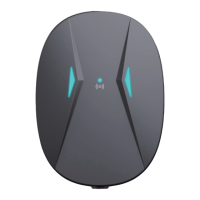

 To Next Page