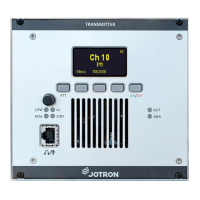
3.1 Front panel controls and connector
• Volume control
• Menu navigaon
• Value and parameter seng
3.1.3 Shortcut keys
In the home screen, the shortcut key funcons are shortcuts to pre-stored frequencies. Otherwise, the funcon
of the shortcut keys will change depending on acve submenu. The display will indicate the funcon of each
shortcut key, using text or icons.
3.1.4 Mic/Headset connector (RJ45)
The Mic/Headset connector is a RJ45 type connector and is used for connecng a Speaker Mic with PTT
switch, or a headset with earpieces, microphone and PTT switch. TR-910 supports both dynamic and electret
microphones and this is configurable through the advanced sengs/configuraon/audio menu.
Table 15: Mic/Headset connector, pin out
Mic/Headset connector
Name Pin Funcon
Mic input 1 Microphone input. Support dynamic and electret types with
adjustable sensivity. Mic Bias is selectable (8 V via 2k2).
Mic GND 2 Microphone ground
Headset 3 Headset output, contains side-tone and received audio.
USB (+) 4 USB Data +
USB (-) 5 USB Data -
PTT 6 PTT input. Grounding this pin will key the transmier
+5 VDC 7 +5 V supply for USB devices. Max 100 mA.
GND 8 Common ground
The connector also has an USB interface. This interface can be used for configuraon of the radio through
the Jotron MDT program. To use this interface a specific cable is required with the following connecons to a
standard Type A USB connector:
Table 16: USB pin out
USB cable
Mic/Headset connector (RJ45) USB type A connector
Pin 4 - USB Data + Pin3D+
Pin 5 - USB Data - Pin2D-
Pin 8 - GND Pin 4 GND
22 jotron.com Doc. No.: 103614 TR-910 Operator Rev. AB


 To Next Page