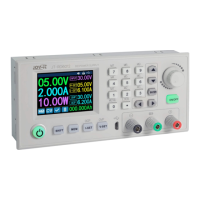
DPS5015
Published: 22.11.2018 Copyright by Joy-IT 8
SCREEN BRIGHTNESS ADJUSTMENT
Navigate to the B-LED opon to congure the display brightness. Turn the Rotary encoder to adjust the
brightness from 0 to 5. 0 denes the darkest seng and 5 the brightest seng. Press the SET buon to
return to the menu opons and press the SET buon again to exit the menu.
6.3 CONFIGURATION OF DATA GROUPS
DATA GROUP M0
The M0 data group is a special case. It is the standard data group. Each me an alternave data group is
selected or changes are made to the exisng sengs, M0 is immediately overwrien with the newly
selected data.
M0 is therefore a real-me duplicate of the currently selected data group and data values. It is also the
data set that is stored when the device is switched o and recalled the next me it is switched on. This is
done automacally and transparently without user input.
SELECTION OF THE DATA GROUP TO BE PROCESSED
Navigate to the M-PRE opon to edit a data group. Turn the Rotary encoder to select the number of the
data group you want to view and edit. When the desired seng is complete, press and hold the SET
buon unl the data group number is displayed on the right side of the screen. Press the SET buon again
to return to the data group sengs.
ACTIVATION/DEACTIVATION
Navigate to the M-PRE opon, and then press the Rotary encoder. Turn the Rotary encoder to select the
number of the data group you want to view and edit, and press the Rotary encoder again to change the M
-PRE opon.
When this opon is enabled, the output state remains unchanged when a data group is accessed.
If you deacvate this opon, the output is automacally switched o when you call up a data group.
Press and hold the SET key unl the data group number is displayed on the right side of the screen. The
data value is now stored under the specied data group number. Press the Set buon again to return to
the Data Group menu items. To exit the Data Group menu, press the Set key again.


 To Next Page