6. DISPLAY ROTATION
Changing the display orientation is helpful for many purposes. Of course,
you can also configure the display orientation here.
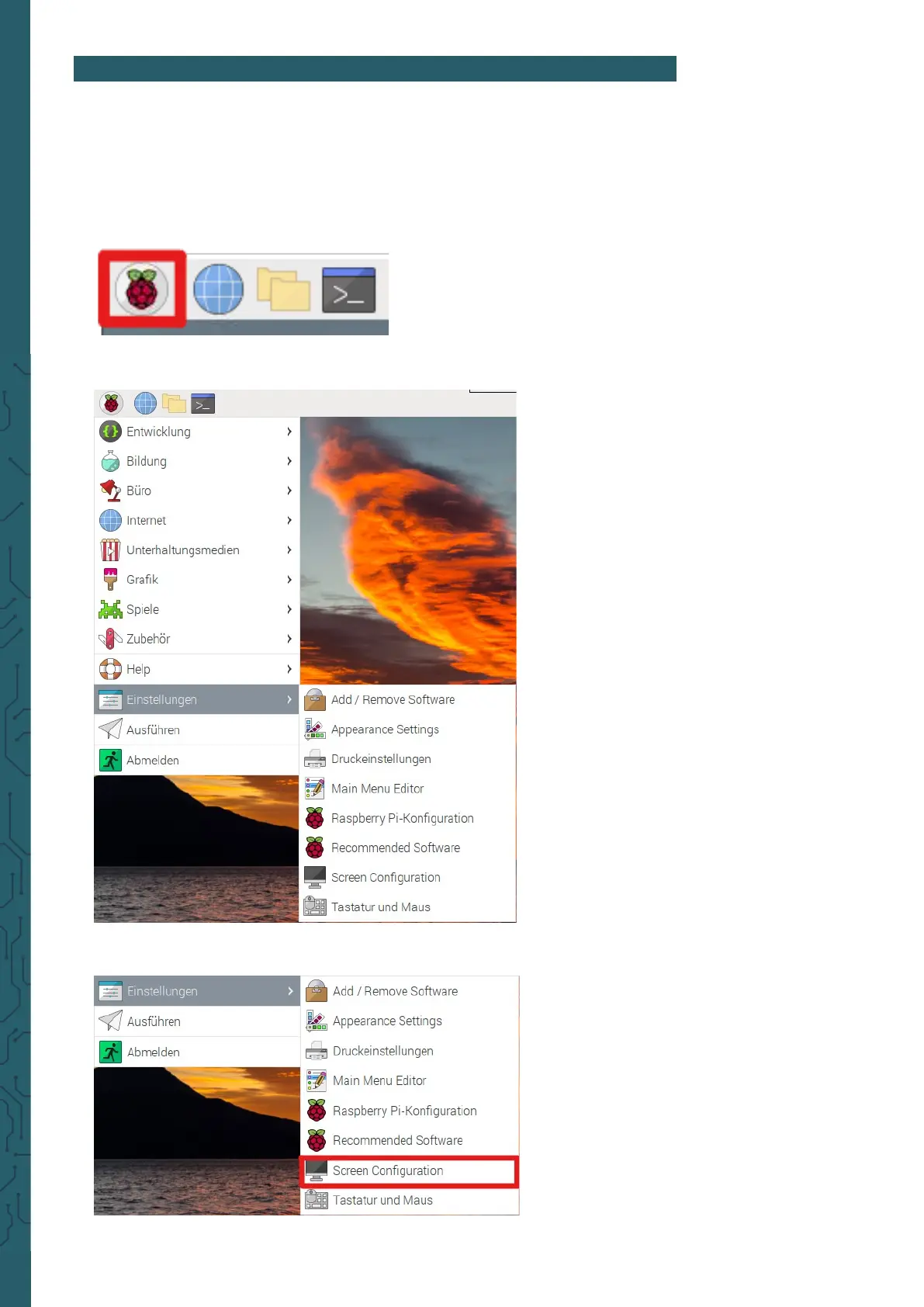
To do this, you simply need to follow the steps in the following images.
1. Open the application menu.
2. Open the settings.
3. Open the screen configuration.


 To Next Page