JPL Agora 6
Setting up your conference room video sound bar
1. Placing your camera - Designed with a fully adjustable mount, the JPL Agora can be placed above a
computer monitor, positioned on a desktop, or mounted on a wall or ceiling.
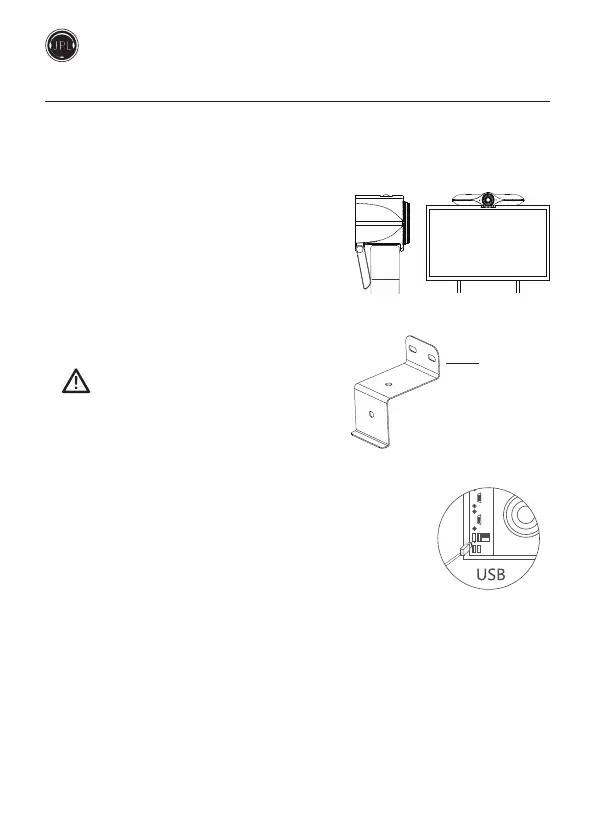
(a) Monitor Mount
Unfold the adjustable bracket and place the camera
on top of your monitor, adjust the angle of the bracket
so that it touches the back of the monitor.
(b) Wall Mount
Drill holes in the wall that match the pre-drilled holes
on the back of the mount.
Make sure to check you are not drilling into any
electrical wires hidden within the wall.
Put rawl plugs into the drilled holes and then attach the
mount to the wall using the screws supplied.
2. Connecting your camera is a simple Plug & Play.
No additional soware or downloads are required.
(a) Connect the 12V DC jack to the port at the back of the camera
and connect the mains adapter to a wall socket.
(b) Connect the camera to the display screen using the USB cable supplied.
Wall Mount with
pre-drilled holes



 To Next Page