NXU-2A Operations Manual
Interoperability Now! 3-13
NOTE: The program defaults to serial port COM1. If you are using a different serial port you
must select the appropriate serial port from the File menu.
Make the appropriate changes by selecting the various menu options. When you have finished
making configuration changes, click the Update Settings button to save the new configuration
information in the NXU-2A. The NXU-2A will restart and the new settings will then be in
effect.
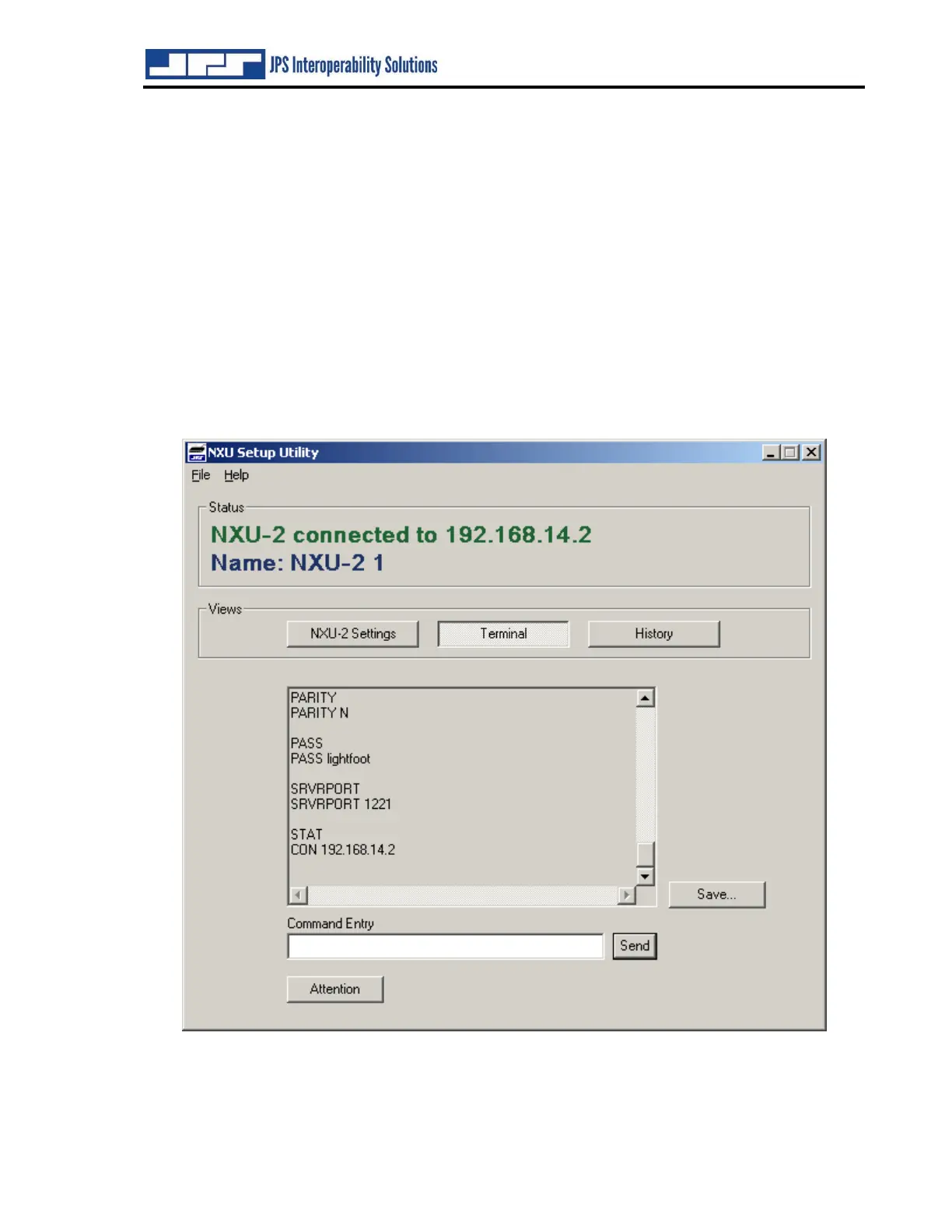
The NXU-2A Setup Utility allows the user to see the actual commands being sent to and
received from the NXU-2A. Click on the Terminal button to bring up the terminal window. If
you wish to enter an NXU-2A command manually you may type it into the Command Entry
window and click Send. If an NXU-2A has been disconnected or powered down (and is no
longer in command mode) it may be placed in command mode by clicking the Attention button.
Figure 3-3 NXU-2A Terminal Screen


 To Next Page