NXU-2A Operations Manual
3-14 Interoperability Now!
The NXU-2A Setup Utility may also be used to keep records on various NXU-2A devices.
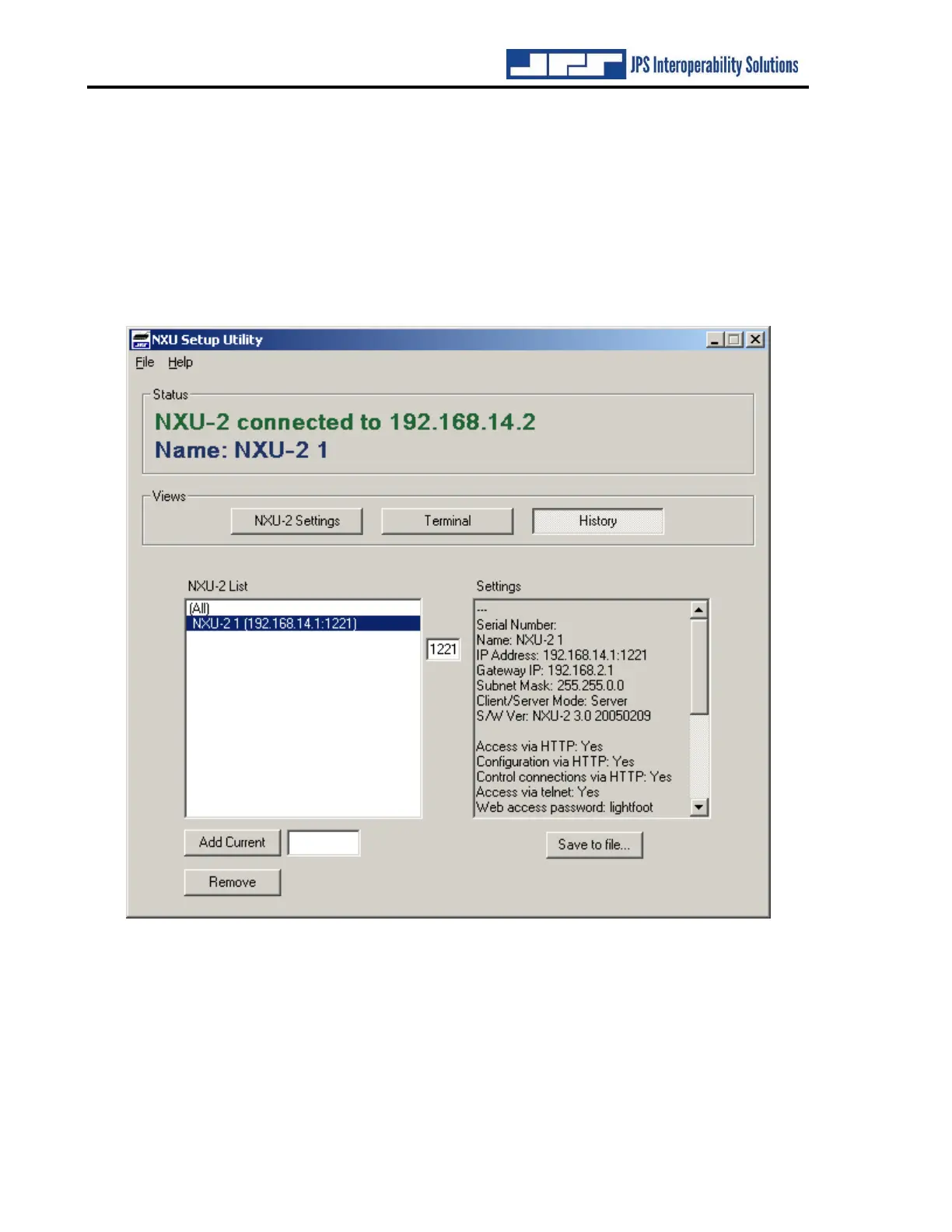
Once an NXU-2A has been configured, click on the History button to bring up the history
window as shown below. To add the current unit to the configuration history, type a name for
the unit into the box beside the Add Current button and click the button. The NXU-2A will be
added to the list of units shown in the NXU-2A List window. To review the settings for a
particular unit, simply choose it from the list and the settings will be displayed. To remove a
unit from the list, highlight the unit and click Remove.
Figure 3-4 NXU-2A History Screen


 To Next Page