NXU-2B Operations Manual
3-2
3.3 Configuration via Web Browser
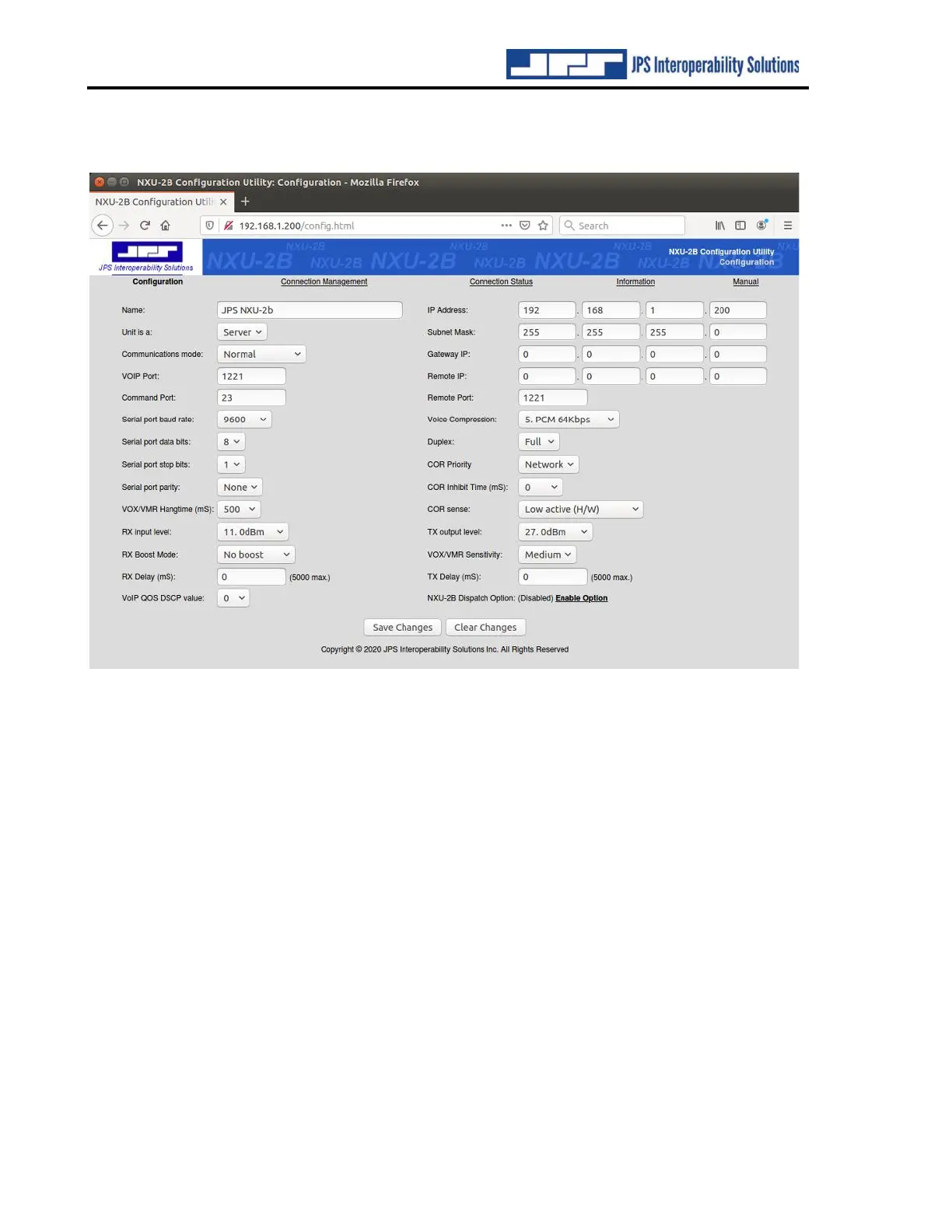
Figure 3-1 NXU-2B Configuration Page
The simplest way to configure the NXU-2B is to browse to the unit and click on Configuration
to open the unit’s Configuration Page as shown above. Configuration parameters are set via
dropdown menus, entering a number, or entering text to give the NXU-2B a specific name. No
changes are enacted until the Save Changes button is pressed. Any changes not yet enacted can
be reverted back to previous via the Clear Changes button.
The network-related settings are grouped mainly near the top of the Configuration Page. These
will be discussed first, followed by the settings that configure the analog interface.
3.3.1 Name
This optional entry allows you to give a unique name to each NXU-2B in your system.



 To Next Page