NXU-2B Operations Manual
4-3 Interoperability Now!
Note: If data is to be transferred across the IP link, the NXU-2B serial port must not
be in the Command Mode (see Section 3.4.1). Be sure to return the unit to the
Transparent Mode (by issuing a TRAN command) if you have placed the unit in
Command Mode.
4.4.5 Auxiliary I/O
The NXU-2B has two sets of independent inputs and outputs that may be used for control of the
user’s equipment. AUX IN 0 and AUX IN 1 are active-low inputs which, when activated on one
end, will cause AUX OUT 0 and AUX OUT 1 on the other end to become active. The AUX OUT
lines are open drain devices, and each is capable of sinking 100 mA. Note: These auxiliary I/O
lines are designed for switching and control applications, and do not have quick enough response
times to send or receive data.
4.5 Controlling Connections
Normally the NXU-2B client automatically connects to the preprogrammed NXU-2B server
when power is applied. The user may also manually control the connection state of the NXU-2B
client. This can be done via the serial port (by entering command mode as described in Section
3.4.1) or via the network using Telnet or a Web Browser.
4.5.1 Web Browser Control
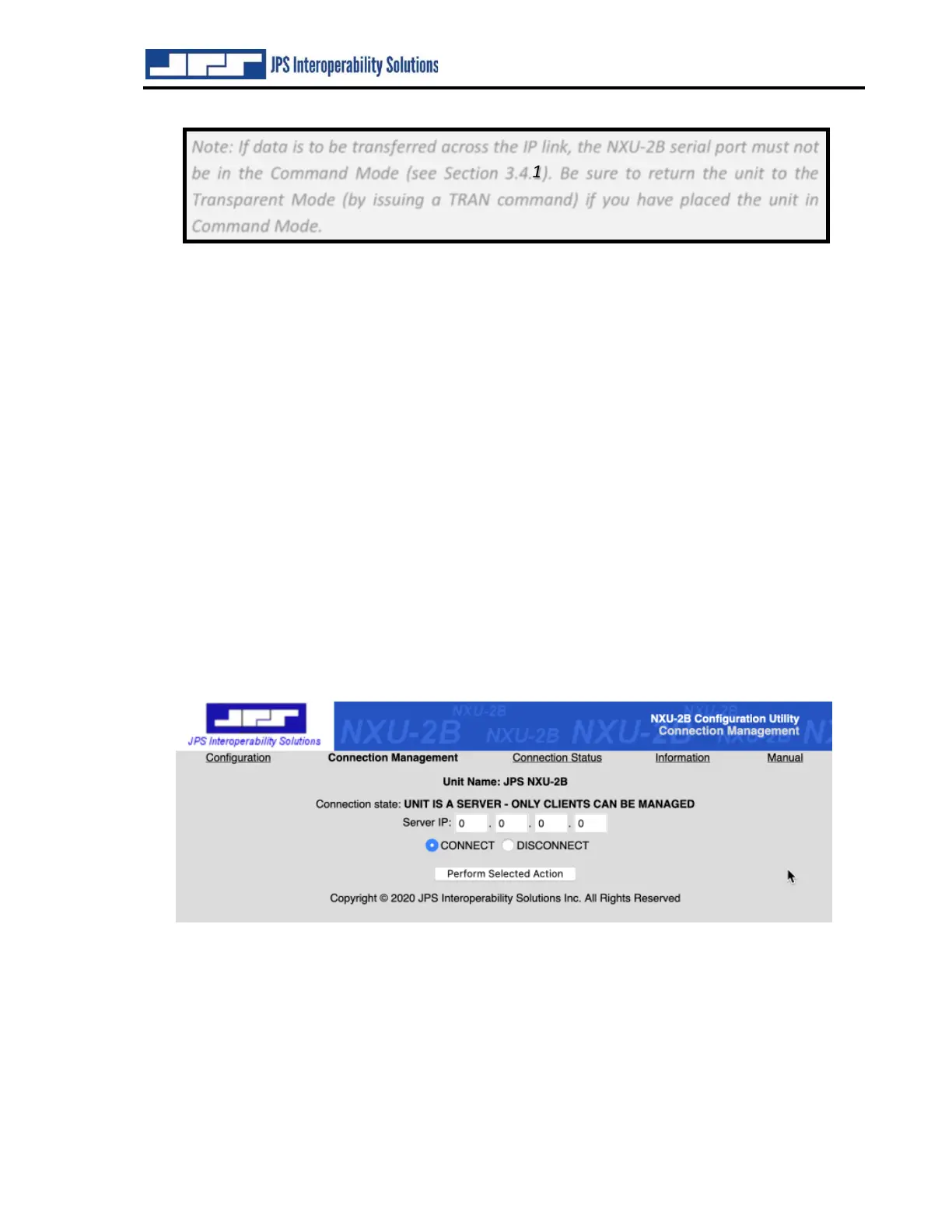
The NXU-2B client connection may be managed by browsing to the NXU-2B client IP address
and selecting the Connection Management menu option. The user may then issue connect or
disconnect commands via the web browser.
Figure 4-1 NXU-2B Connection Management Screen



 To Next Page