Section 18 Playing Back Data Recorded During Navigation 18-10
18.5 Outputting Navigation Record Data
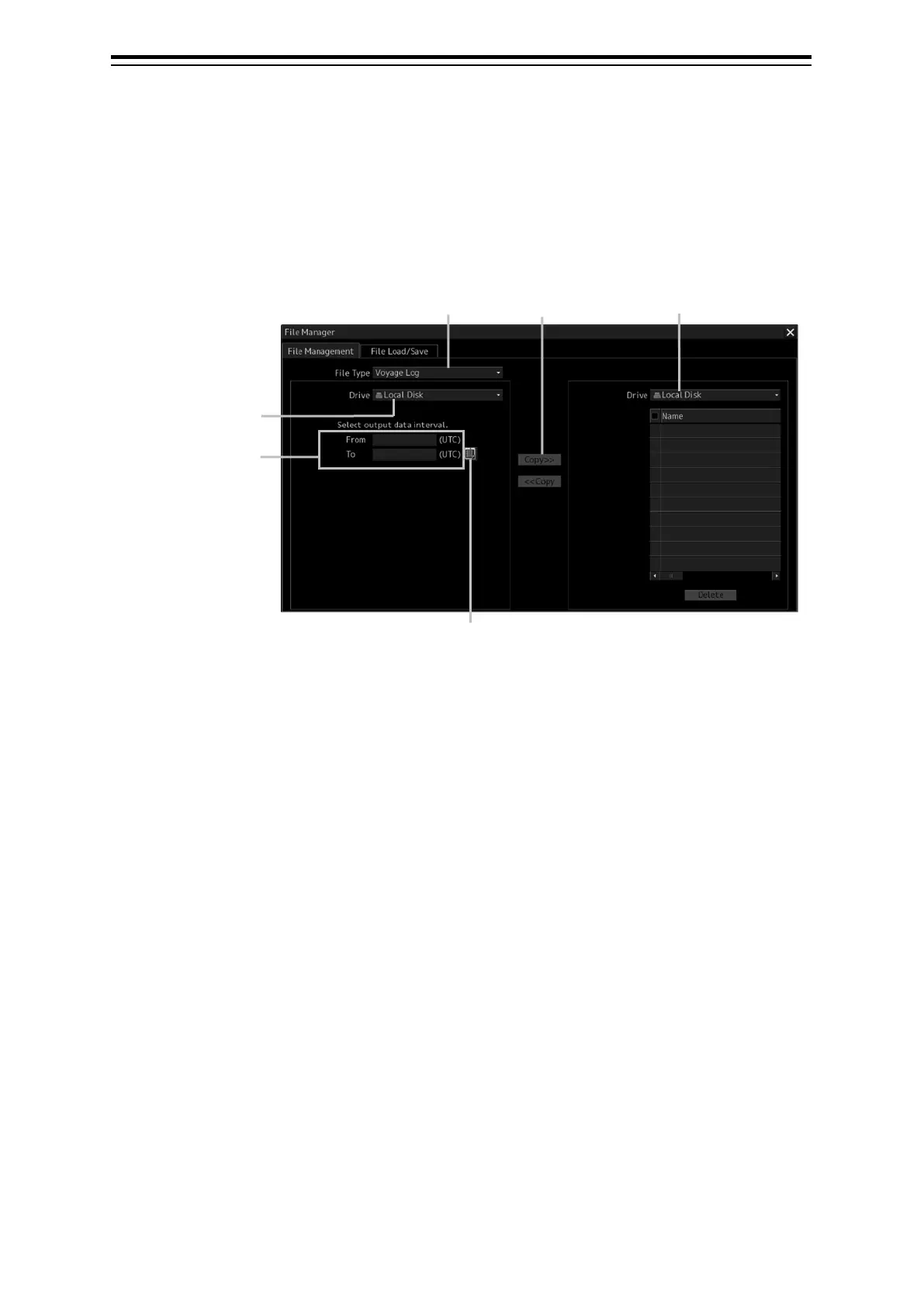
Select navigation record data from the File Manager submenu of the Tools menu, and then copy it to
the output destination you specify.
1 Open the File Manager submenu of the Tools menu.
2 Select [Playback] from the File type selection box, and then select [Local Disk] from
the Drive at the output source selection box.
Below the Drive at the output source selection box, the output data interval selection boxes and
the calendar icon appear.
selection
Drive selection box
(output destination)
Drive selection


 To Next Page