18-9 Section 18 Playing Back Data Recorded During Navigation
18.4 Exiting the Playback Mode
Other tasks cannot be executed while the Playback dialog box is being displayed (during the Playback
mode).
To execute other tasks, exit the Playback mode.
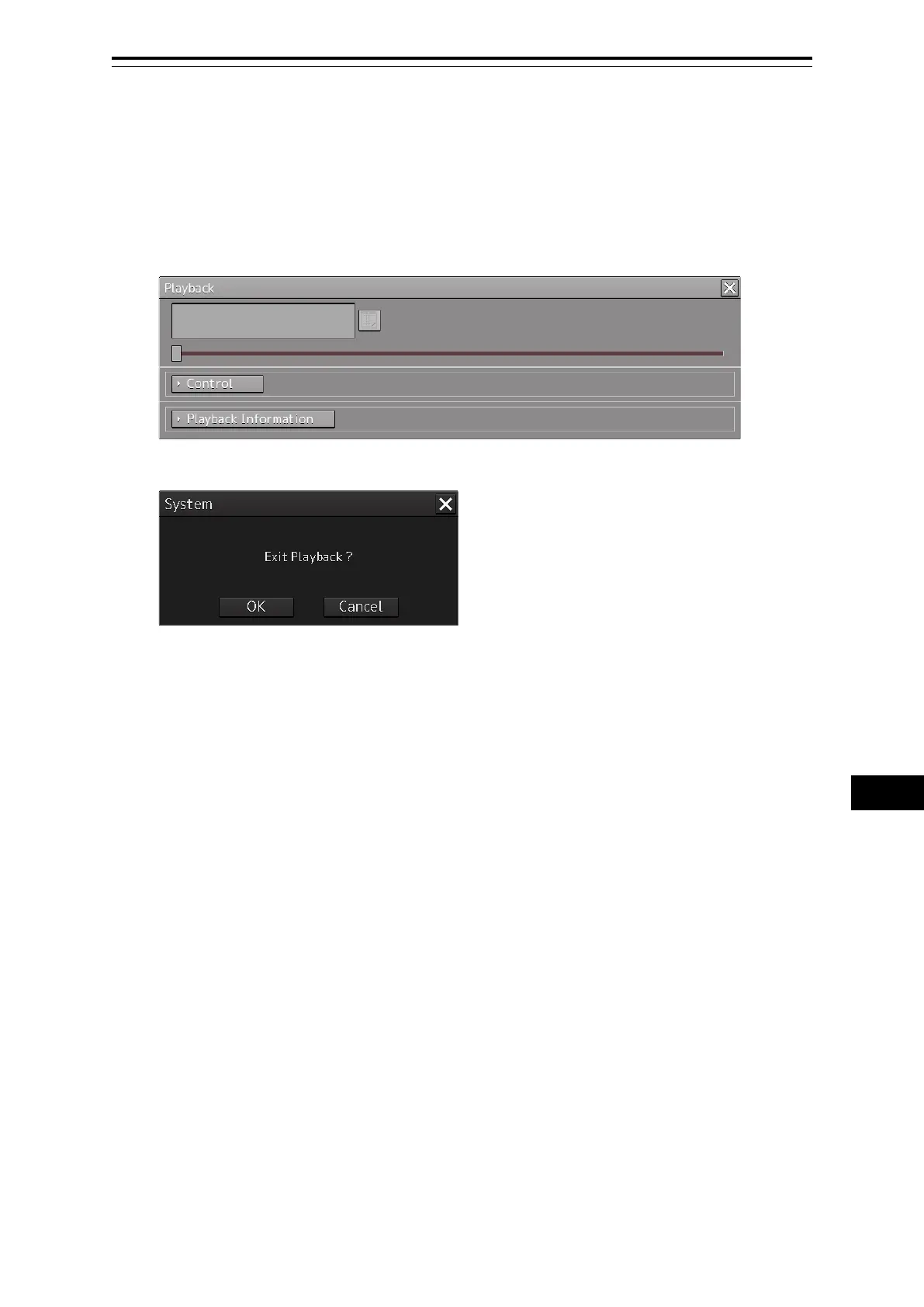
1 Click on the [X] (Close) button on the playback controller.
The Exit Confirmation dialog box appears.
2 Click on the [OK] button.
The playback controller closes and the Playback mode ends.
To cancel exiting the Playback mode, click on the [Cancel] button.


 To Next Page