Section 19 Maintenance & Inspection 19-36
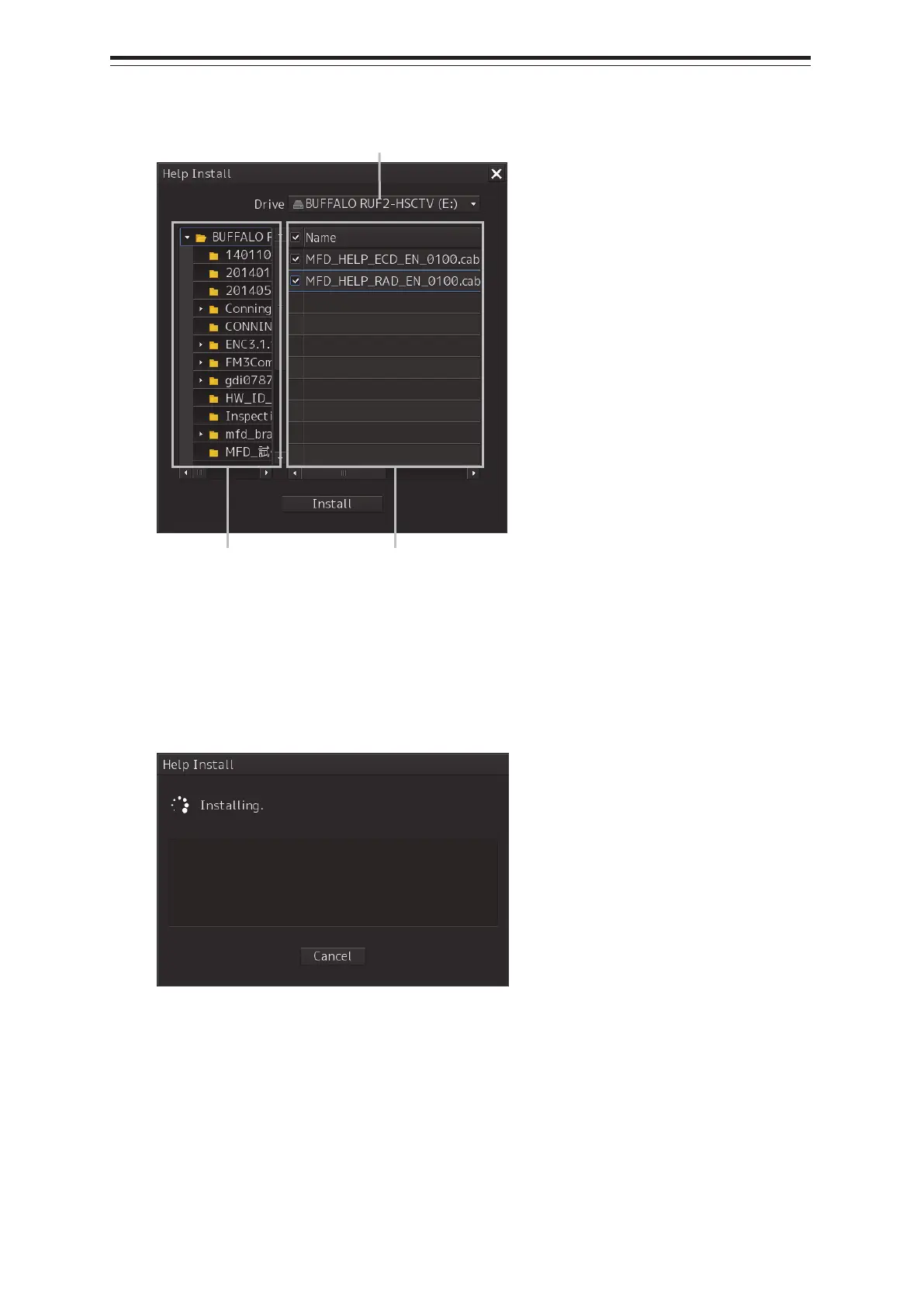
A file selection dialog is displayed.
5 Select the drive containing update data from the [Drive] combo box.
6 Select the folder containing update data from the folder tree and check the file to be
updated from the file list.
7 Click the [Install] button.
Installation starts and the following screen is displayed.
Wait until installation is completed.
[Drive] combo box
Folder tree File list


 To Next Page