JMA-9100/7100 Installation Manual > 4.INITIAL SETTING >
4-1
4
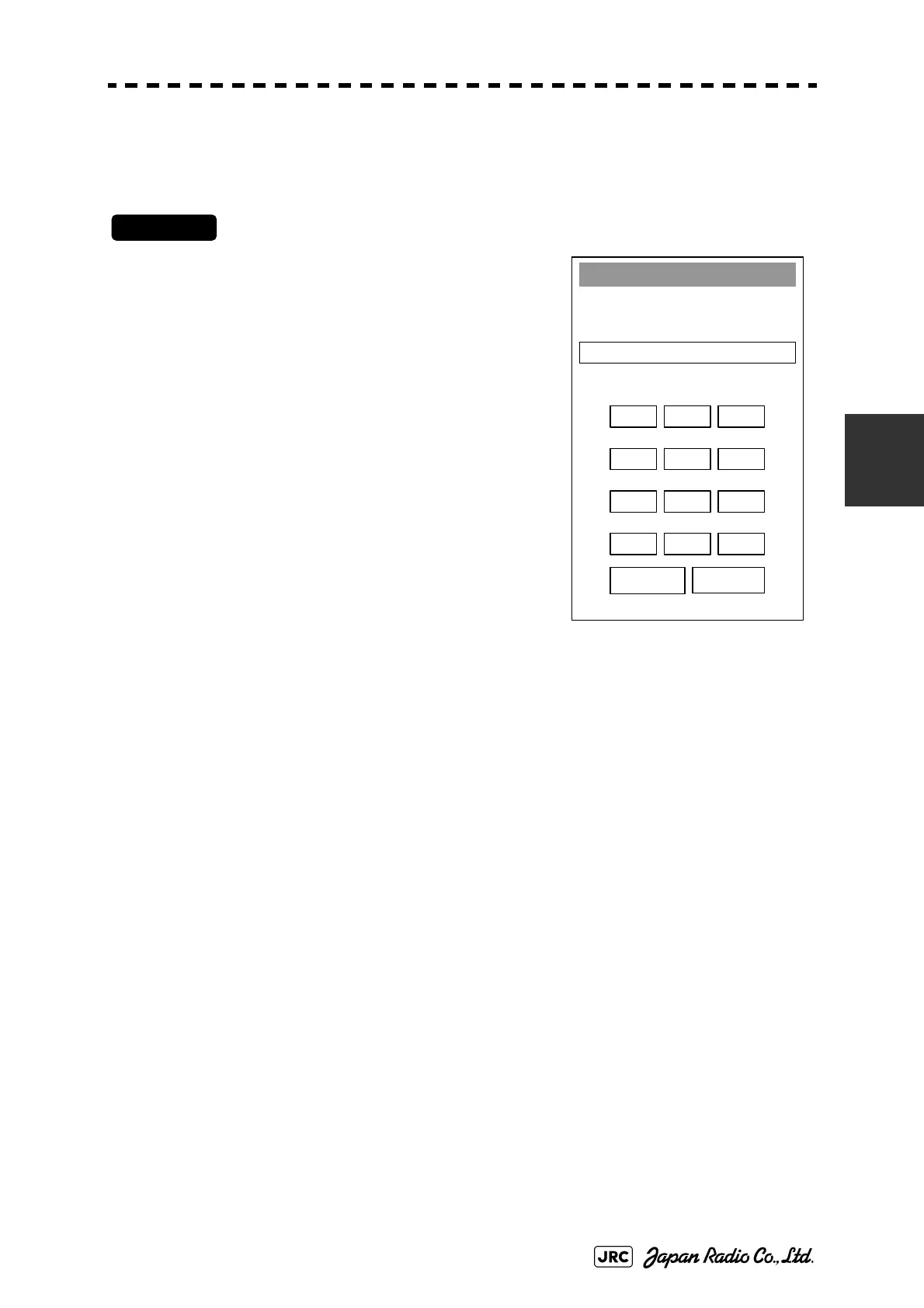
Opening the [Service Man Menu] screen
Procedures
1) Use left key to hold down [Main] button
located at the bottom right on the screen.
The [CODE Input] screen will appear.
2) Left-click 0 button.
3) Left-click ENT button.
The [Service Man Menu] screen will appear.
CODE Input
Press “0” and “ENT”
to Service Man Menu
1 2 3
4 5 6
7 8 9
- 0 +
CLR ENT
Fig 4-1: Code Input


 To Next Page
 Loading...