4-16
JMA-9100/7100 Installation Manual > 4.INITIAL SETTING > 4.10 PERFORMANCE MONITOR SETTING
4.10 PERFORMANCE MONITOR SETTING
When the following units are replaced, adjust the performance monitor according
to the procedures shown in this section.
• Performance monitor
• Scanner unit
[I] Receiving monitor adjustment (MON Adjustment)
Make adjustments of the circuit that monitors the reception performance of the
radar apparatus.
Procedures
1) When the radar apparatus has an inter-switch function, make settings for a
master display unit.
2) Open the [Service Man Menu] screen.
3) Open the [4.MON Adjustment] screen according to the operation shown below.
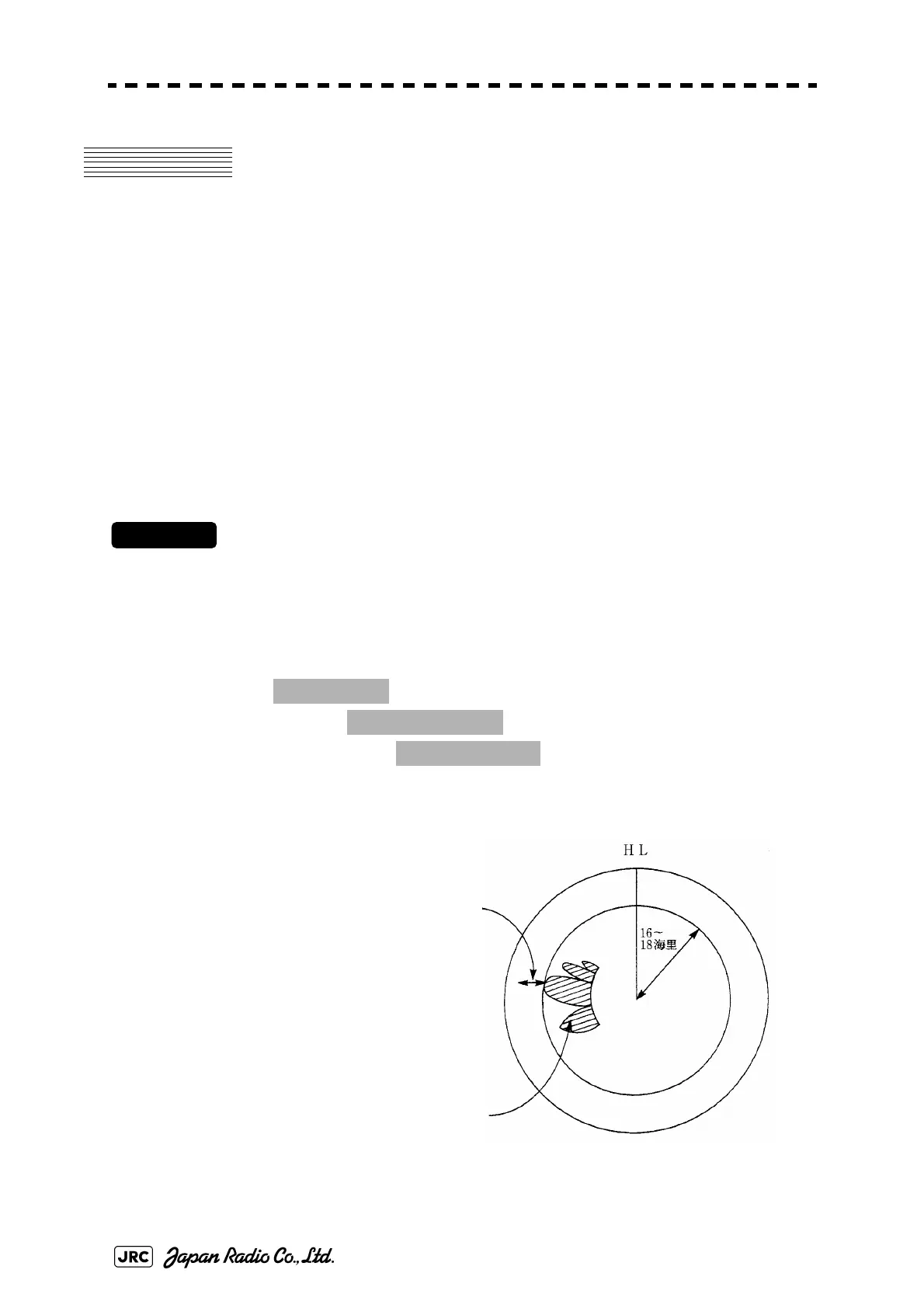
4) Increase or decrease the adjustment value so that the farthest end of the
MON pattern is 18.0 nm.
Fig 4-4: MON adjustment
1. Adjust Menu
→
4. TXRX Adjustment
→
4. MON Adjustment
MON pattern
Increase or decrease the
adjustment value so that the
farthest end of the MON
pattern is 18.0 nm


 To Next Page
 Loading...